Copyright © 2017, 4ipnet, Inc. All rights reserved. All other trademarks mentioned are the property of their respective owners.
7.4 DHCP Lease
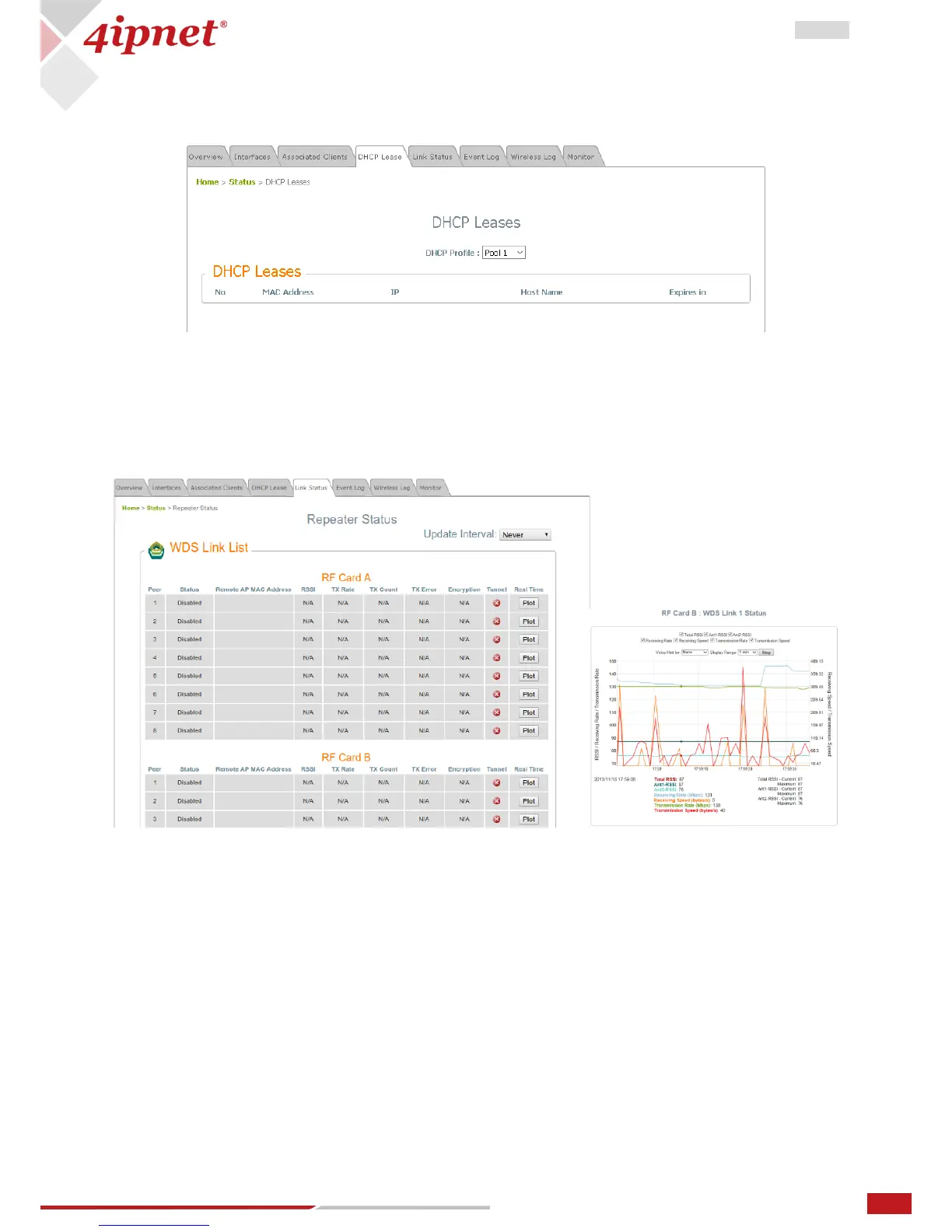
When any VAP operates in NAT mode, DHCP Lease information will be displayed in this table.
7.5 Link Status
The administrator can review detailed information of the repeater function at Status > Link Status.
Information of WDS status, traffic statistics, encryption and other details are provided.
By clicking plot, a dynamic graph for WDS link status is displayed. Information on the plot includes Total
RSSI, Ant1 RSSI, Ant2 RSSI, Transmission Rate, Receiving Rate, Transmission Speed, and Receiving Speed.
A real time plot is also available for each interface, whose time axis is configurable with the following
options: 1 minute, 2 minutes, 5 minutes, or 10 minutes. Double click to return the plot to its original scale.
Voice hint may also be enabled for convenience during antenna adjustment.



 To Next Page