Copyright © 2017, 4ipnet, Inc. All rights reserved. All other trademarks mentioned are the property of their respective owners.
7. Status
The following function tabs present the current condition and state of the system: Overview, Interfaces,
Associated Clients, DHCP Lease, Link Status, Event Log, Wireless Log, and Monitor.
7.1 Overview
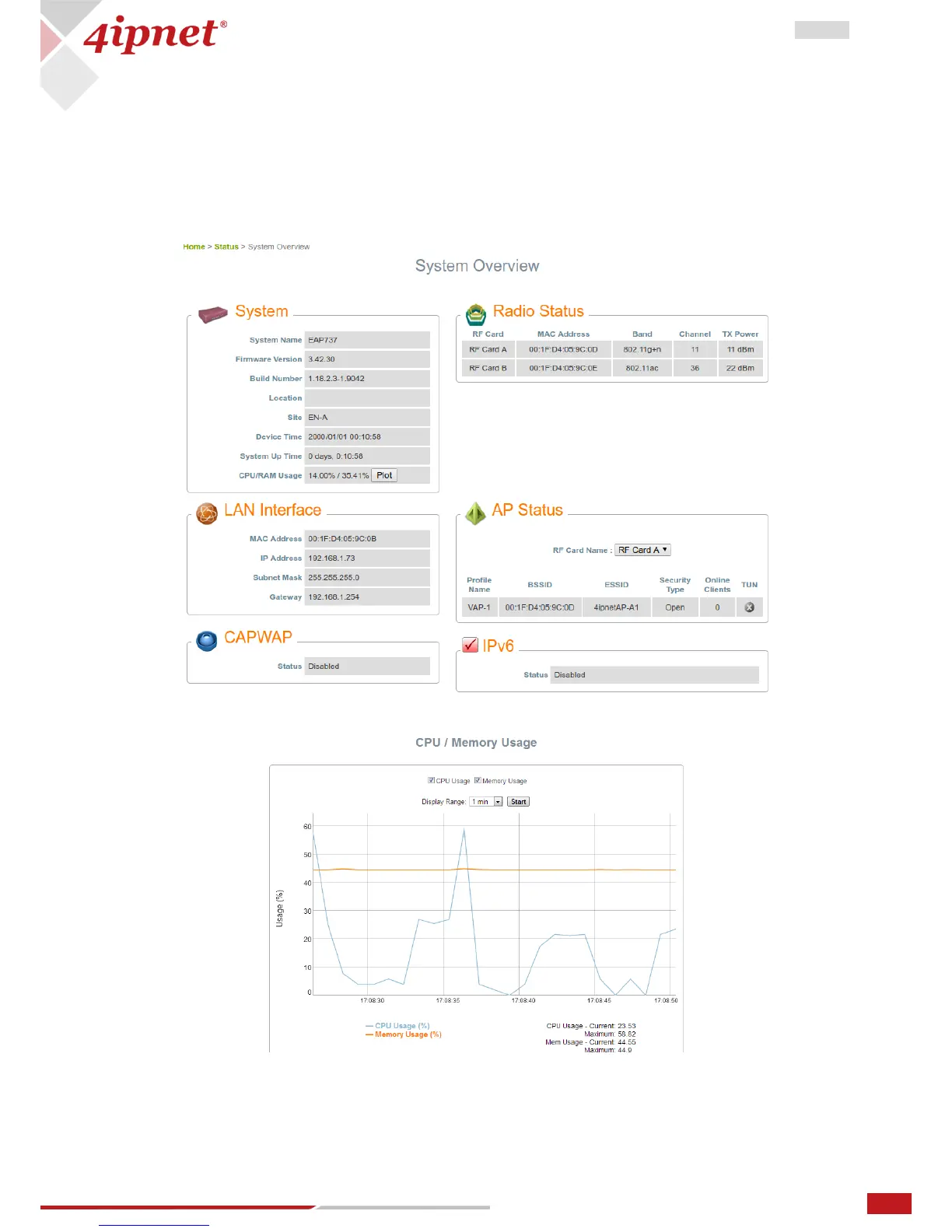
The System Overview page provides an overview of the system status for the administrator.
Clicking Plot button shows the real time plot of CPU/RAM usage. Left click and drag the mouse to zoom in
the desired regions. Double click on the graph to return the plot to its original scale.:



 To Next Page