Copyright © 2017, 4ipnet, Inc. All rights reserved. All other trademarks mentioned are the property of their respective owners.
8. Console Interface
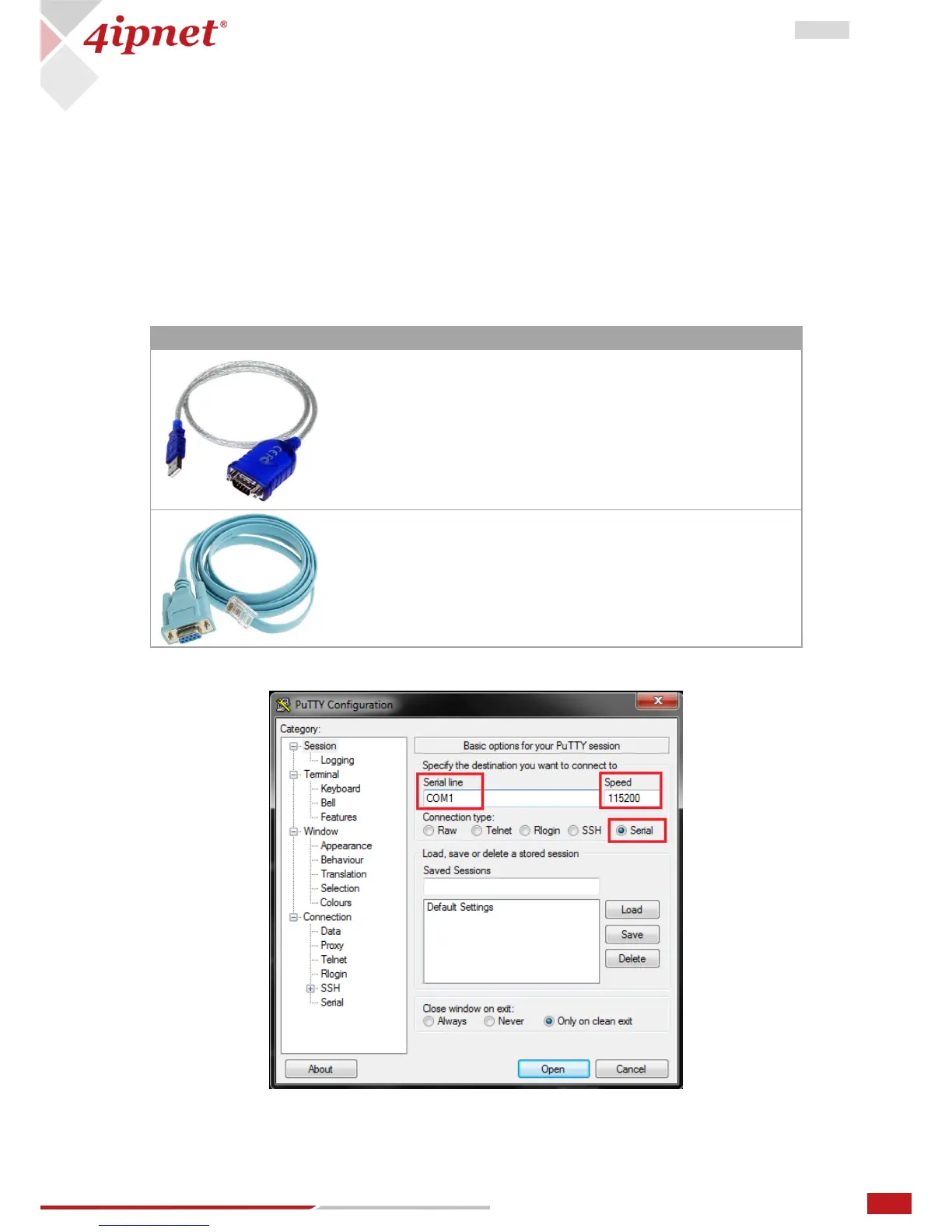
Via the console port, administrators are able to enter the console interface to reset the AP to its factory
default settings. In order to connect to the console port of a The AP, a console cable, and a terminal
simulation program (e.g. PuTTy) are needed. There are 2 ways to access the console interface
8.1 Direct Connection by Console Cables
PC > USB to RS-232 DB9 Serial Converter Cable > Console Cable (DB9-to-RJ45) > Console Port
The USB-to-RS232 cable is not supplied with standard packaging. It is recommended to use only the
console cable provided with the packaging.



 To Next Page