User Manual ENGLISH
EAP/OWL-Series Wave 2 Enterprise Access Point
Copyright © 2017, 4ipnet, Inc. All rights reserved. All other trademarks mentioned are the property of their respective owners.
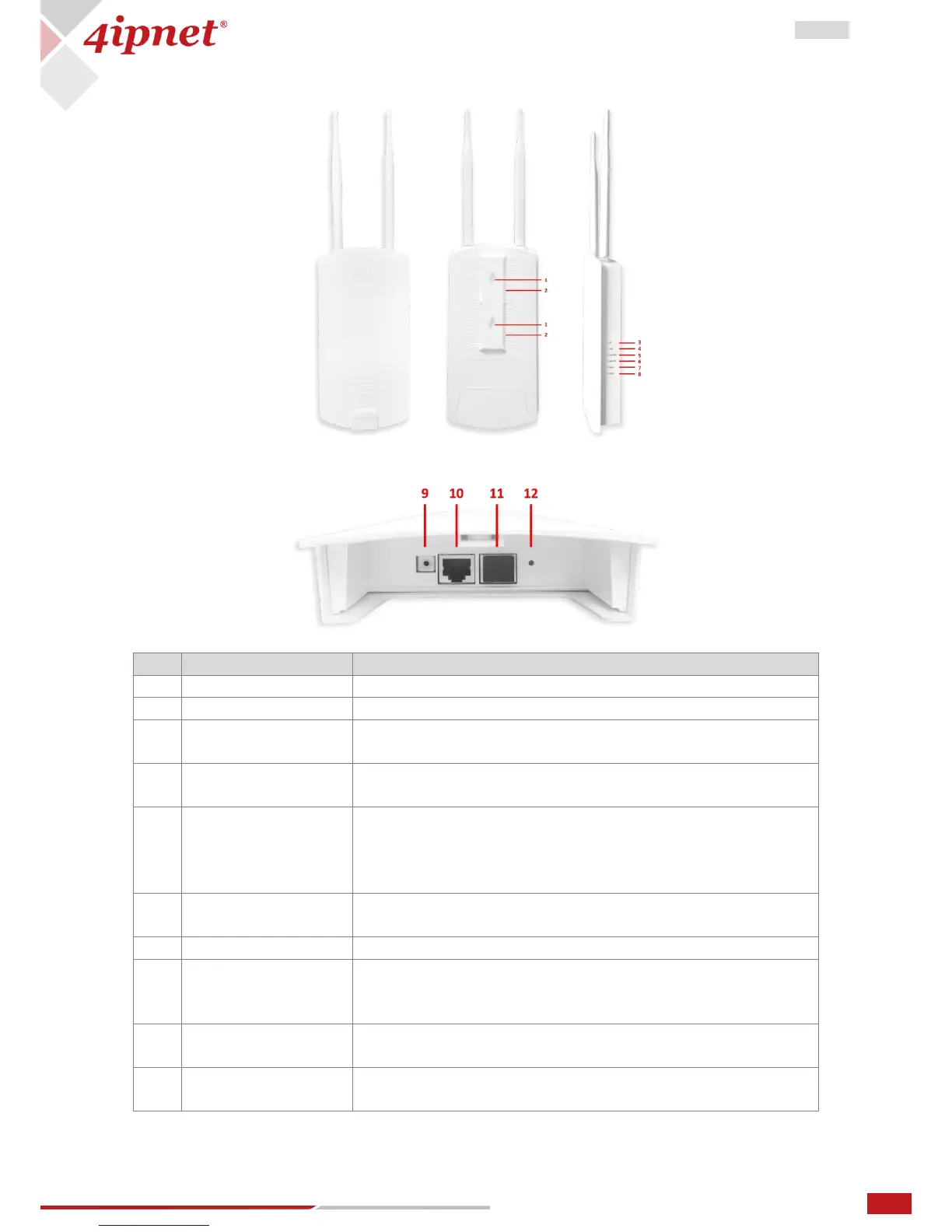
OWL300
Mounted View
Side View
5G/2.4G Wi-Fi status. The 5G LED will blink when there is
5G/2.4G traffic.
LAN status. The LAN (PSE)/ (PD) LED will light up when there is
traffic passing through the LAN port.
OWL300 status. The Status LED will start blinking when the
restart/reset button is pressed. For the first 5 seconds, the LED
will blink slowly (restart), and after 5 seconds, the LED will start
blinking quickly (reset).
Power status. The Power LED will always on when OWL300 is
power-on.
For connecting to ground wire.
Offers uplink connection. This port can be used to connect to a
controller, gateway, or directly to the Internet. 802.3at PoE is
also supported.
The ports for connections with LAN side devices. It also support
802.3af PoE.
Press once to restart the system; hold for more than 5 seconds
to reset the system to factory default settings.



 To Previous Page