USER’S MANUAL OF WNAP 3G MOBILE ROUTER Version: 2.0
93
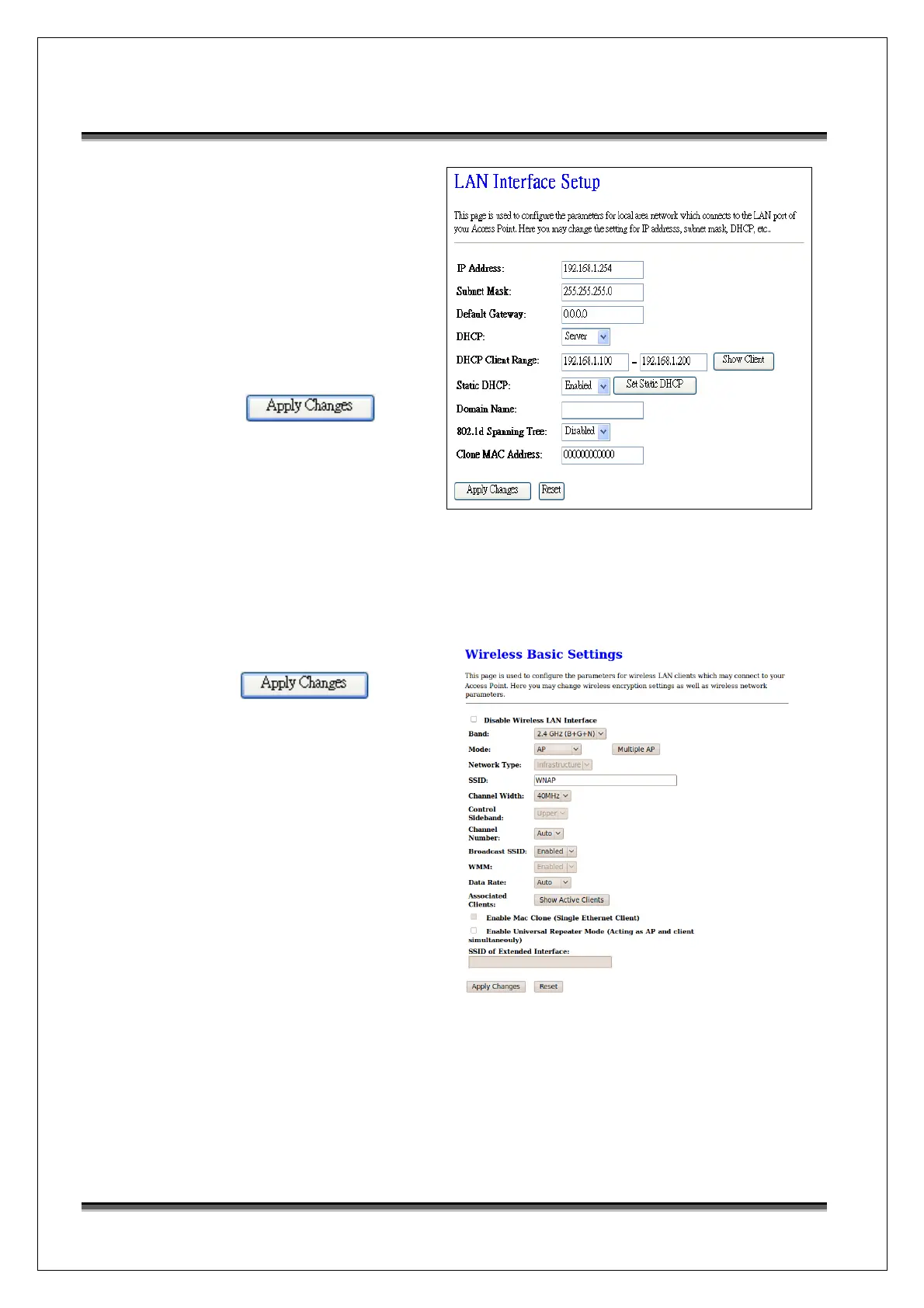
Configure the LAN interface:
Open LAN Interface Setup page,
enter the IP Address
“192.168.1.254”, Subnet Mask
“255.255.255.0”, enable DHCP
Server, DHCP client range
“192.168.1.100” to
“192.168.1.200”.
Press
button to confirm configuration
settings.
Configure the WLAN interface:
Open WLAN Interface Setup page, enter the SSID “WNAP”, Channel Number “11”.
Press
button to confirm configuration
settings.



 To Previous Page