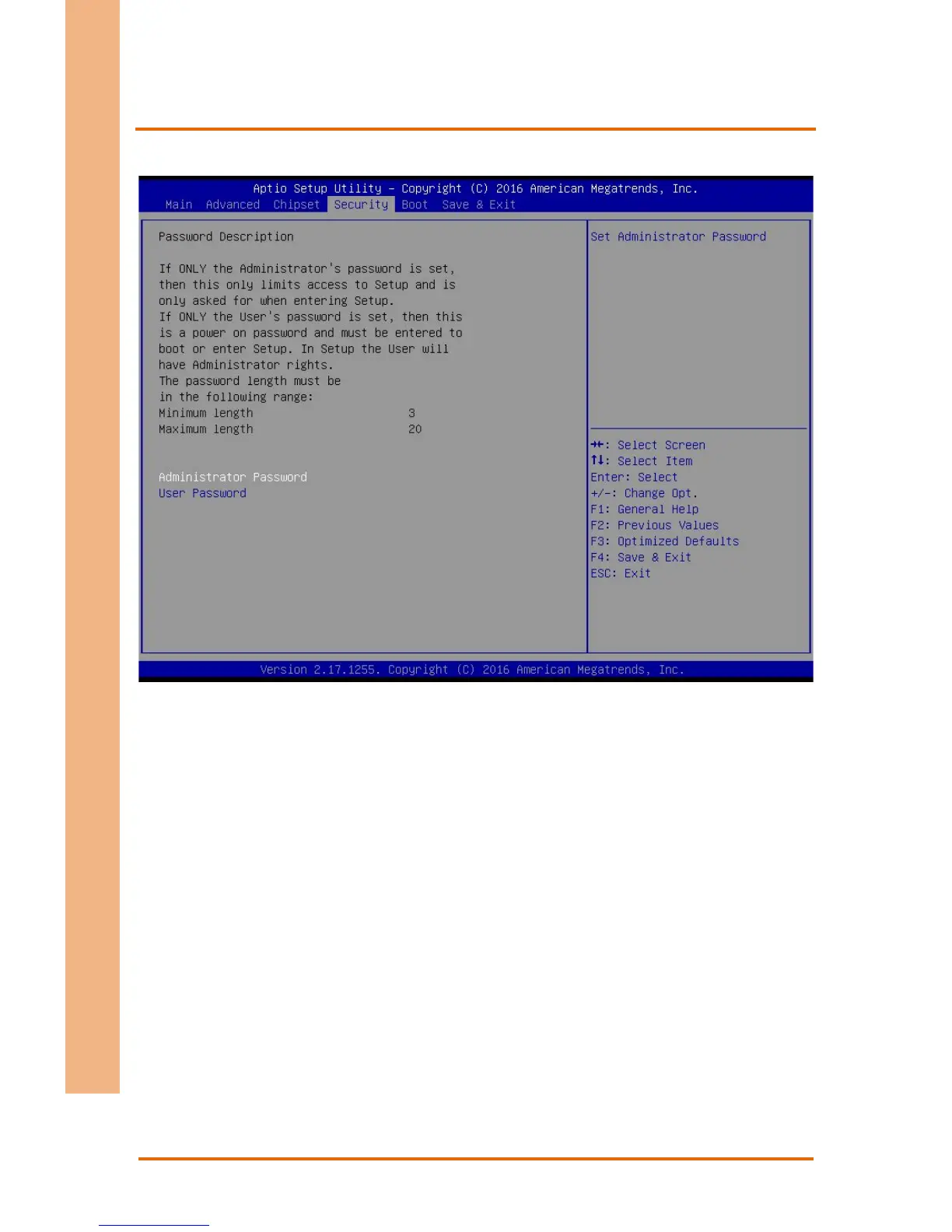
You can set a User Password once an Administrator Password is set. The password will
be required during boot up, or when the user enters the Setup utility. Please Note that
a User Password does not provide access to many of the features in the Setup utility.
Select the password you wish to set, press Enter to open a dialog box to enter your
password (you can enter no more than six letters or numbers). Press Enter to confirm
your entry, after which you will be prompted to retype your password for a final
confirmation. Press Enter again after you have retyped it correctly.
Highlight this item and type in the current password. At the next dialog box press Enter
to disable password protection.


 To Next Page