Chapter 4 – iX Developer 59
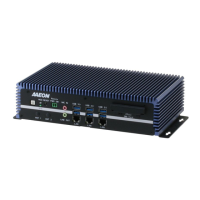
Fanless Embedded Box PC BOXER-6639
The BOXER-6639 comes with a product DVD that contains all the drivers and utilities
you need to setup your product. Insert the DVD and follow the steps in the autorun
program to install the drivers.
In case the program does not start, follow the sequence below to install the drivers.
Step 1 – Install Chipset Driver
folder and select your OS
file in the folder
3. Follow the instructions
4. Drivers will be installed automatically
Step 2 – Install Graphics Driver
folder and select your OS
2. Open the
file in the folder
3. Follow the instructions
4. Drivers will be installed automatically
Step 3 – Install LAN Driver
folder and select your OS
2. Open the
file in the folder
3. Follow the instructions
4. Drivers will be installed automatically


 To Next Page