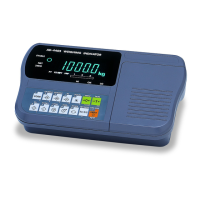
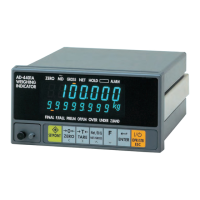
AD-4405A Weighing Indicator Page 13
Dual Range
<First range> Select the resolution, decimal point position and format.
<First range> Select the weighing range
<Second range> Select the resolution
<Second Range> Specify the weighing capacity
For the range function, refer to “5.3. Weighing Range Function”.
Specifying the Range and Unit
Step 1 The range and unit of measure are displayed.
Range display : 5ingl : single range
dUal : dual range
To change the range function, use the CLEAR key
Unit display: The active unit is displayed. The unit can be changed; such
as kg or lb. Calibration is performed with the displayed unit.
Press the MODE key to select a unit.
Press the +/- key to select a unit for calibration. The unit for calibration
(first unit) is displayed and the alternate unit (second unit) is blinking.
ENTER Stores the parameter displayed and proceed to the next step.
ESC Proceeds to the next step without changing the parameter.
Specifying the Resolution, Decimal Point Position and Format
Step 2 The resolution will be displayed as d 0.1, with decimal point. Triangle 1 and the
first unit selected at the previous step will be displayed.
Specify the position of the decimal point with the
CLEAR key. Specify the display
format (point or comma) with the +/- key. Specify the resolution with the MODE
key.
The decimal point format, specified in this step, will only apply to the display. The
decimal point format for serial data output is selected using the F-function settings.
Press the
ENTER key to store the parameters and then proceed to the next step.
Using the ESC key, regardless of what is displayed, the indicator will proceed to
the next step without changing the parameters.
5.2. Calibration Procedure


 To Next Page