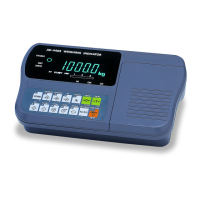
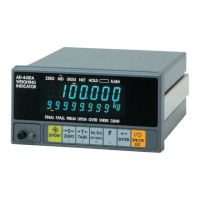
Page 32 AD-4405A Weighing Indicator
6.3. CF-Functions
Item
Parameter
Description
* 0 No limitation
Cf00
Zero tracking width, motion
detection condition
1
Use limitation at f01, f02, f03, f27 and f28.
* 0 2% of CAP, Tare limit is 100 % CAP
1
10% of CAP, Tare limit is 100 % CAP
2
3% of CAP, Tare limit is 50 % CAP
Cf01
Zero range (by pressing
the ZERO key)
3
4% of CAP, Tare limit is 50 % CAP
0
Not to zero when turning the display on.
* 1
10% of CAP
2
3% of CAP
Cf02
Power on zero range
(Reference: CAL 0)
3
4% of CAP
0
Gross when displaying gross.
1
Gross
Cf03
Zero tracking
* 2 Gross or Net when displaying net.
TARE, ZERO in motion / TARE at negative gross
* 0 Not accepted / Not accepted
1
Execute / Not accepted
2
Not accepted / Execute
Cf04
TARE, ZERO in motion /
TARE at negative gross
value
3
Execute / Execute
* 0
Not to output unstable or overload data.
Effective in key mode.
Cf05
Output overload and
unstable data
1
To output data always.
GROSS / NET / TARE / Preset TARE
* 0 GR / NT / TR / TR
1
GR / NT / TR / PT
Cf06
Header 2
2
G_ / N_ / T_ / PT (_: Space 20h)
* 0 Two digits
Cf07
Number of unit digits
1
Three digits
Serial output data
* 0 Not used (Ineffective)
Cf08
Accumulation function
1
Used (Effective)
* 0 Used (Effective)
Cf09
Preset Tare (PT)
1
Not used (Ineffective)
CAP : Maximum capacity *: Initial settings
Power on ZERO (CF02)
Cf02=0 After power on, the weight display starts immediately.
Cf02=1,2,3 When the zero range is exceeded at power on, ------ is displayed.
Press the ESC key to start the weight display.
6.3. CF-Functions


 To Next Page