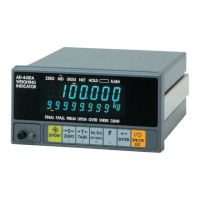
AD-4405A Weighing Indicator Page 7
3.5. Installing an Option Board
Install an interface (OP-03, OP-05, OP-07 or OP-08) as follows:
Caution Do not remove any screws other than described below.
Step 1 Remove the power cord from the electrical outlet and other cables from the
indicator.
Step 2 Remove two screws from the rear blank panel.
Step 3 Remove the rear blank panel.
Step 4 Remove the cable from the rear blank panel.
Step 5 Connect the cable that was removed in step 4 to the new option board.
Be sure to orientate the connector correctly.
Step 6 If the option board has an earth terminal (OP-05, OP-08), connect the earth cable
in the indicator to that terminal.
Step 7 Insert the option board into the indicator.
Step 8 Secure the option board panel using two screws.
Step 9 Insert the power cord into the electrical outlet and press the ON/OFF key to turn
the display on. Set the F-Function, f30, depending on the option used.
OP-03, OP-05, OP-08: f30 2 (Serial output)
OP-07: f30 1 (Analog output)
3. Installation and Precautions


 To Next Page