Page 36 AD-4405A Weighing Indicator
Output of Accumulated Data
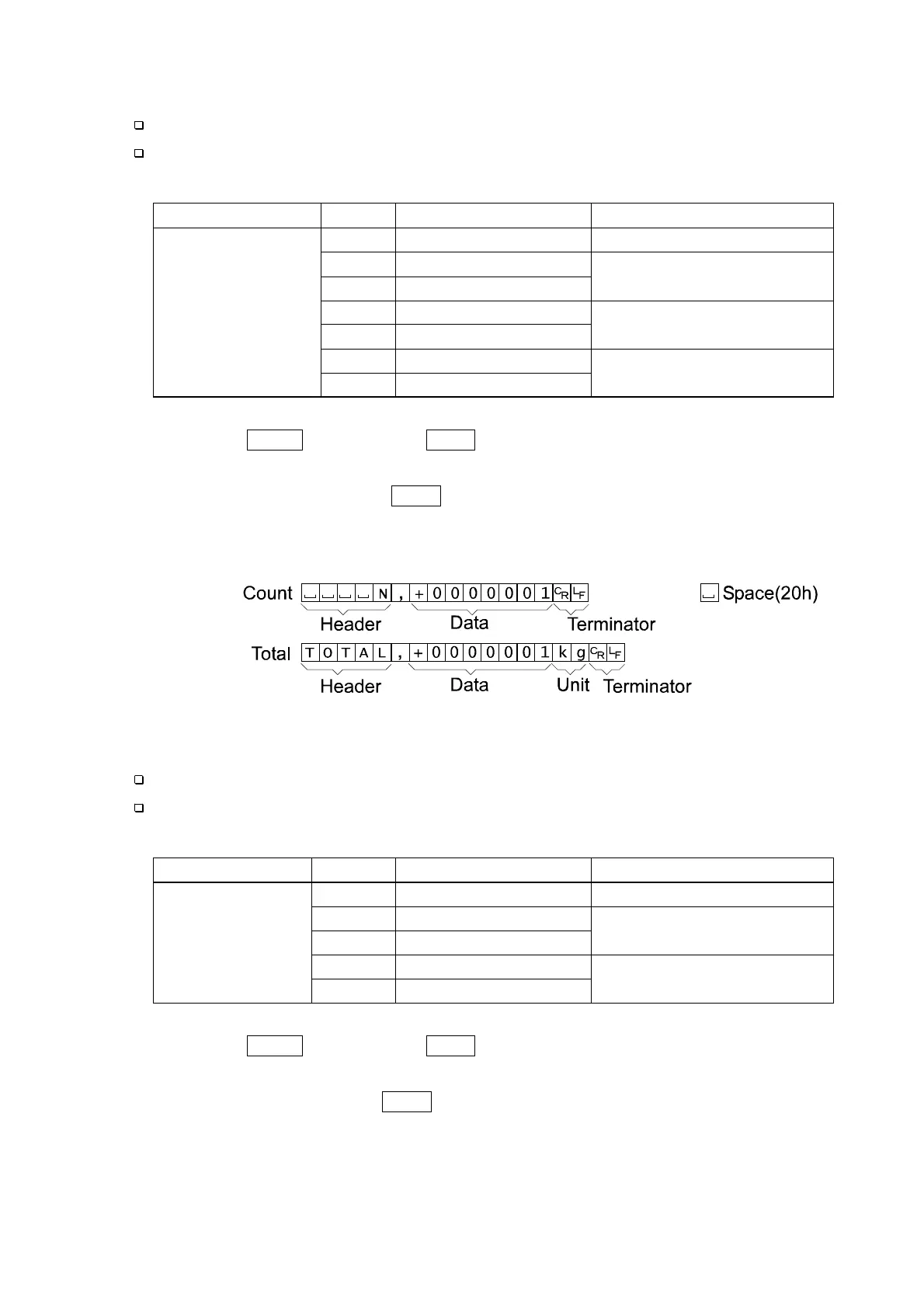
Accumulated data can be output to the serial interface.
Output by manual or automatic, and output data format is selected at f41 of the
F-function setting.
f41
Parameter
Manual/Automatic Format
0
No output
* 1 Manual
2
Automatic
Fixed format
3
Manual
4
Automatic
Format 1(selected at f34)
5
Manual
Accumulated data
output at
accumulated data
display
6
Automatic
Format 2(selected at f35)
Step 1 Press the TOTAL key to display total and the accumulated data.
Step 2 If automatic output is selected, the data is output once at that timing.
Step 3 If manual output, press the PRINT key while the accumulated data is displayed, to
output data.
Fixed data format:
Print of Accumulated Data
The accumulated data can be printed out by the optional printer.
Print out by manual or automatic, and output print format is selected at f61 of the
F-function setting.
f61
Parameter
Manual/Automatic Format
0
Do not print
1
Manual
2
Automatic
Format 1(selected at f70)
* 3 Manual
Print
accumulated
data
4
Automatic
Format 2(selected at f71)
Step 1 Press the TOTAL key to display total and the accumulated data.
Step 2 If automatic print is selected, the data is printed out once at that timing.
Step 3 If manual print, pressing the PRINT key while the accumulated data is displayed, to print
out the data.
8. Accumulation


 To Next Page