18
8-3. Setting example
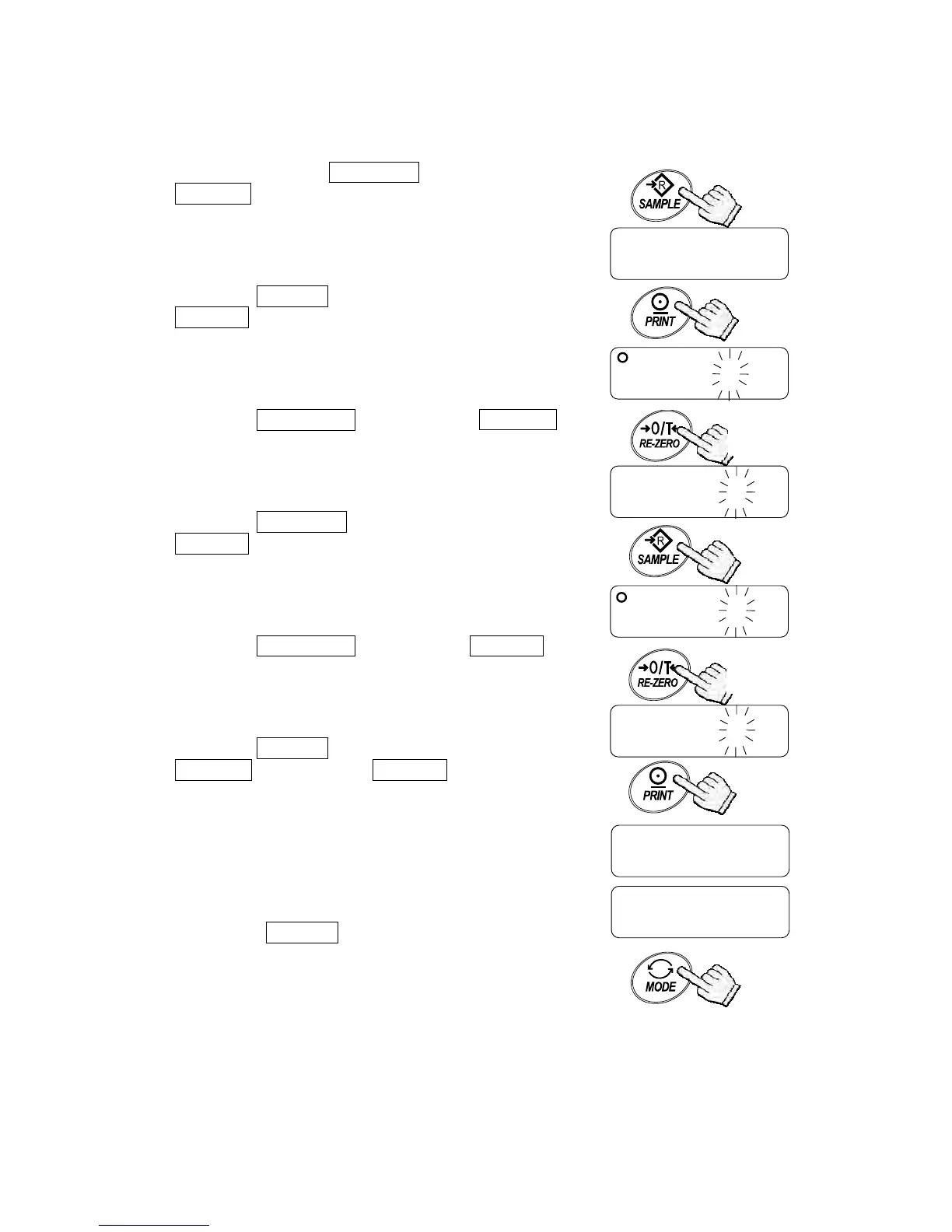
To set auto power-off function to “Enabled”, and the ACAI function to “Disabled”.
1. Press and hold the SAMPLE key to display
func .
2. Press the PRINT key. The balance displays
poff 0 .
3. Press the RE-ZERO key to display poff 1 .
4. Press the SAMPLE key several times to display
aCai 1 .
5. Press the RE-ZERO key to select aCai 0 .
6. Press the PRINT key to store the parameters.
Cp Hi appears after end .
7. Press the MODE key to return to the weighing
mode.
func
poff 0
poff 1
aCai 1
Press and hold
To confirm
To store
aCai 0
end
Cp Hi
Returns to
the weighing mode
Each pressing
switches the



 To Next Page