6-14 Maintenance & Service
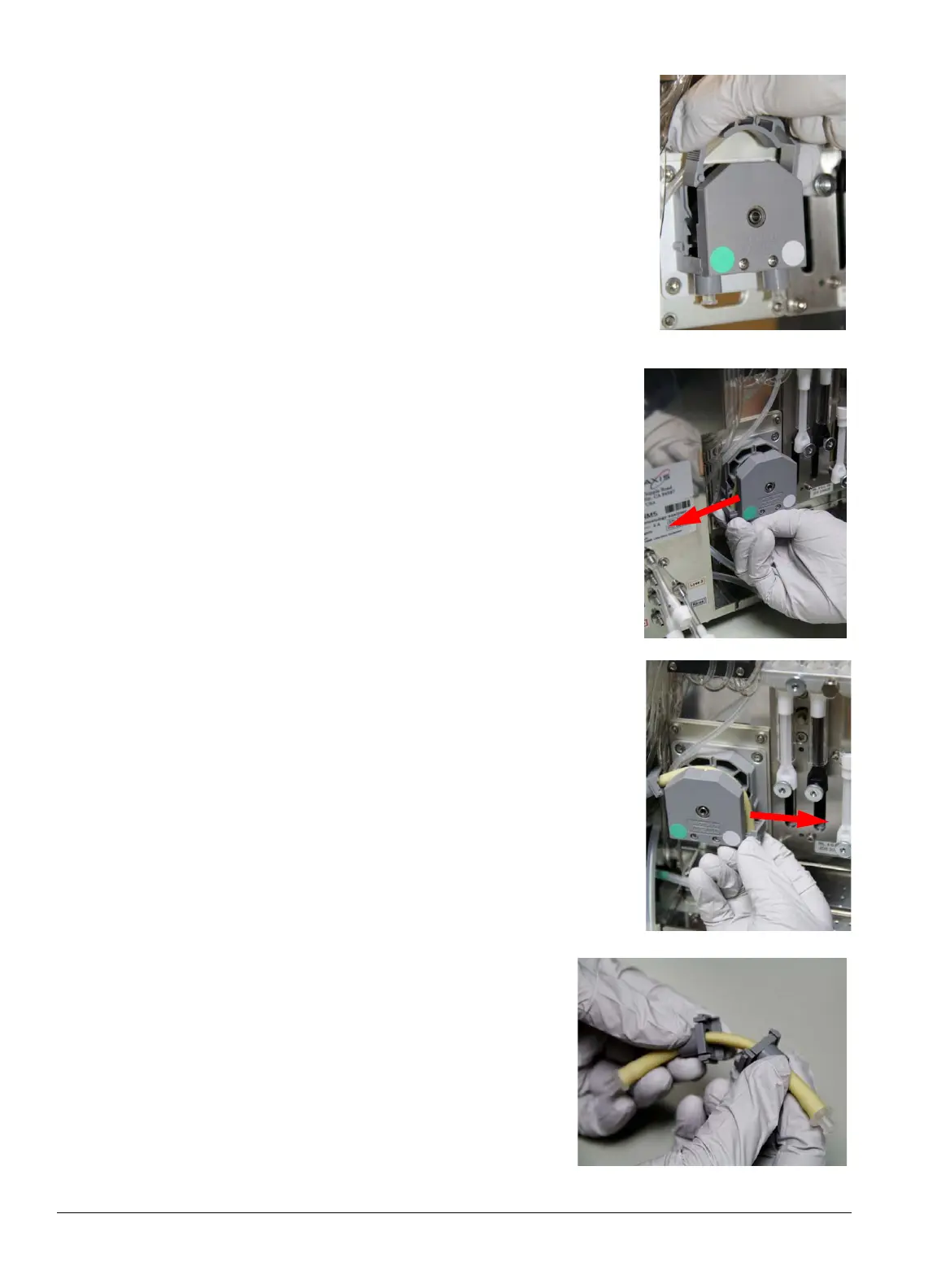
3. Use your thumb and forefinger to grasp the middle of the serrated
band, then squeeze and lift the band straight up.
4. Grasp the bottom left tube connector (green band) and push it
to the left. The connector slides out, freeing the left end of the
tube.
5. Grasp the bottom right tube connector (white band) and push it
to the right. The connector slides out, freeing the right end of
the tube.
6. Slide the gray attachments toward the center of the
yellow pump tube.



 To Next Page