Maintenance & Service 6-15
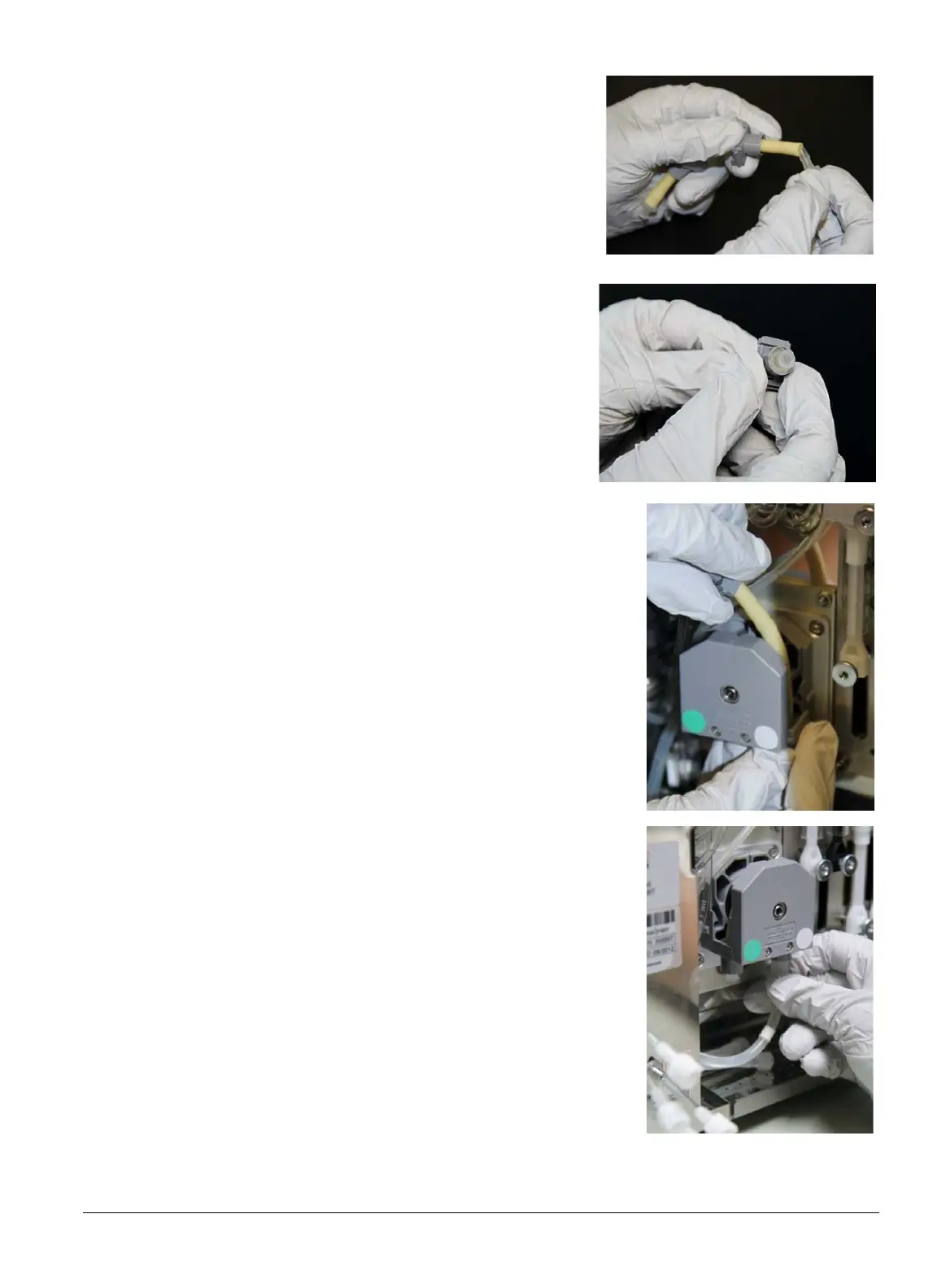
7. Disconnect the tube from the clear tube connectors.
8. Place the two gray attachments onto the new pump
tube. Connect either end of the new yellow pump tube
to the clear connectors.
9. Slide the gray attachments down onto the clear con-
nectors so that the connectors fit snugly into the gray
pieces.
10. Using one hand to guide the tubing, slide one of the gray
pieces on the pump tube into the right side of the pump.
Stretch the yellow pump tube over the top of the pump, then
slide the remaining gray piece into the left side of the pump
until it snaps into place.
11. Reconnect the appropriate color tubes to the bottom of the
pump.
12. Grasp the gray cover and slide it down over the pump.
13. Once the notches on the side are in place, push down on the
top of the cover until it snaps into place.
14. Wipe up any spilled fluids from the base of the instrument.



 To Next Page