Settings
Set addresses of the preferred outdoor stations and the address of the indoor station on
the jumper (see chapter " Adjusting the device ").
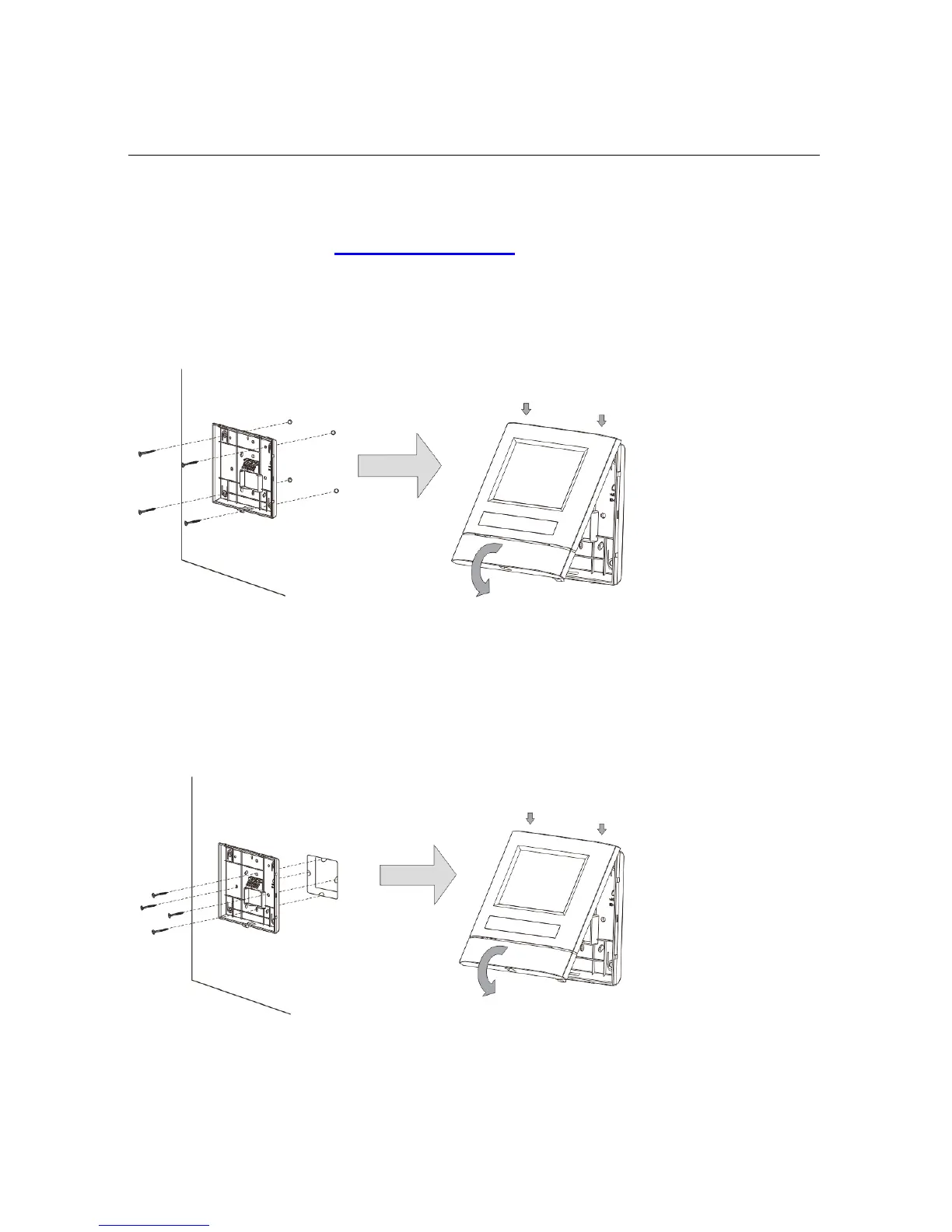
Three types of installation:
A. Surface-mounted
1) Mounted on the wall
1. Fix the bottom of the device to the wall.
2. Latch the upper part of the device onto its bottom part: place the upper side of the
device on the lock-in lugs and then press the bottom side onto the bottom part of
the device until it is caught by the clamp.
2) Mounted with flush-mounted box
1. Fix the bottom of the device to the existing flush-mounted box.
2. Latch the upper part of the device onto its bottom part: place the upper side of the
device on the lock-in lugs and then press the bottom side onto the bottom part of
the device until it is caught by the clamp.














 To Next Page