Info/illustrationAction
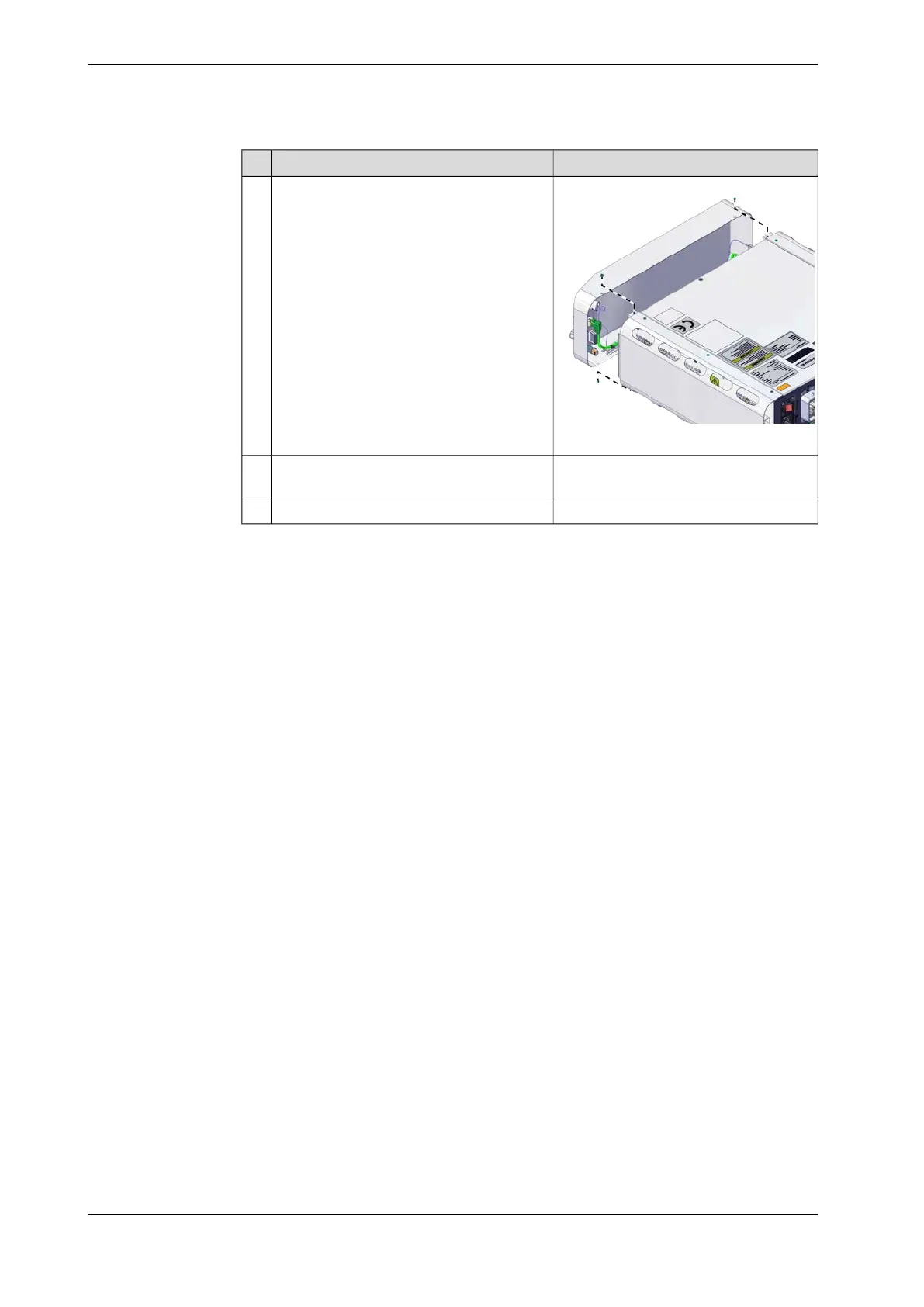
xx2400000696
Keep the controller upright. Connect the
adapter cables to the front cover unit, and
install the front cover unit.
5
The antenna can be placed on top of the
controller.
Connect the antenna for Connected Services
Gateway (3G or WiFi).
6
Place the controller in desired place.7
76 Product manual - OmniCore C30 Type A
3HAC089064-001 Revision: A
© Copyright 2024 ABB. All rights reserved.
3 Installation and commissioning
3.4.5 Mounting the controller with desktop mounting kit [3001-2]
Continued



 To Next Page