EasyManua.ls Logo

ABB PSTX250 - User Manual

ABB PSTX250
188 pages
Print Icon
To Next Page IconTo Next Page
Loading...
1SFC132081M0201
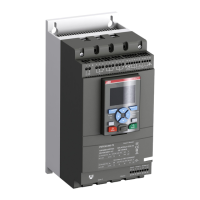
Softstarters Type PSTX30...PSTX1250
Installation and commissioning manual

Questions and Answers

  • K
    Kathy FaulknerSep 10, 2025
    What does 'Phase reversal' mean on my ABB PSTX250 Controller?
    • M
      Monica RodriguezSep 10, 2025
      Phase reversal indicates that the phase sequence is incorrect, leading to current imbalance between the phases. To correct this, change the phase sequence on the line side to (L1-L2-L3). Then, restart the motor and check the main currents and voltage.
  • P
    Patrick WebbSep 8, 2025
    Why does my ABB Controller motor make a bad sound during both start and stop?
    • S
      srodriguezSep 8, 2025
      This could be due to several factors. First, try different settings for the Initial/End Voltage parameter. Also, experiment with different settings for the Current limit level or Torque limit level parameters. Ensure that you have the correct softstarter for the motor size. Make sure that the start and stop commands are not given at the same time. Check that the operation voltage is not below 175 V.
  • D
    Dominique MaySep 7, 2025
    What to do if loading parameters with Fieldbus does not work correctly on my ABB PSTX250 Controller?
    • C
      Cindy HancockSep 7, 2025
      Ensure that the parameters match between the PLC and the Softstarter Fieldbus documentation for the used Fieldbus protocol. Make sure that the Auto mode bit of the binary output telegram setting is 1. Check if the HMI is set to remote control. Ensure that the Local Mode digital input on the ABB FieldBus Plug adapter is set to Remote. Make sure that Fieldbus disable control in DI is not connected. Verify that the Fieldbus control parameter is set to On.
  • D
    deckersamuelAug 22, 2025
    What causes an electronic overload in my ABB Controller and how can I resolve it?
    • C
      Cole WatsonAug 23, 2025
      An electronic overload occurs when the motor current is too high for an extended period, often due to a high load on the motor shaft. To resolve this: * Examine start conditions and EOL settings. * Correct the reason for the overload. * Ensure the current limit level is not set too low. * Verify the ramp time for start is not too long. * Confirm the correct overload class is used. * Check that the Setting Ie parameter is correct.
  • K
    Kathryn GrantSep 4, 2025
    How do I fix an ABB PSTX250 Controller that shows a blank screen and no LED is active?
    • M
      Melinda AnthonySep 4, 2025
      First, ensure that the supply voltage is properly connected, referring to the circuit diagram. Also check that the RJ45 plug is connected between the HMI and the softstarter, and that the RJ45 network cable is not damaged.
  • B
    bellbrianSep 3, 2025
    Why is my ABB Controller showing a dark screen but the LED is active?
    • J
      Joseph SchwartzSep 3, 2025
      The controller is likely in power save mode. Simply touch a key on the keypad to exit this mode.
  • S
    Suzanne HansenSep 2, 2025
    What to do if my ABB PSTX250 Controller motor is humming or starts without a given start signal?
    • S
      Samantha WolfeSep 2, 2025
      This issue could be due to a few reasons. If it's a PSTX30...170 model, a bypass relay might be closed due to inaccurate handling. To resolve this, disconnect the operation voltage and the control supply voltage, remove the USB cable if connected, and then reconnect the voltage in the following sequence: first, the control supply voltage on terminals 1 and 2 (refer to chapter 5.1.2), wait 4 seconds, and then connect the operation voltage on terminals L1, L2, and L3. Alternatively, the bypass contactor/relay could be stuck in a closed position, or there might be a shorted thyristor. In either of these cases, it is best to speak to your ABB Sales Office.
  • A
    amber34Sep 1, 2025
    How to troubleshoot phase loss in ABB PSTX250 Controller?
    • R
      Rebecca JamesSep 1, 2025
      Check that the mains are connected and that no line contactor or breaker is open. Inspect the fuses for all 3 phases, replacing any that are blown. Verify the operation network supply and correct it if there's a power loss on one or multiple phases. Ensure the contactor/breaker or external switch device is closed. If the line contactor opens too quickly at stop, control it with the Run signal relay on terminal 4, adding a time relay before the contactor opens. If Stop Ramp is not necessary, set Stop mode to direct stop.
  • J
    Jeffrey TuckerAug 31, 2025
    What to do if my ABB PSTX250 motor does not start when given a start command by the hardwire inputs?
    • E
      Elizabeth ParkerAug 31, 2025
      First, check the connections for start and stop. Make sure that the start and stop commands are not given at the same time. Ensure that the keypad is not in Local Control mode; if it is, push the R\L-key to change to Remote Control mode. Also, verify that the Fieldbus control parameter is set to No. Finally, reset any active or tripping events.
  • B
    Bailey WilsonAug 29, 2025
    What does 'Thyristor overload' mean on my ABB PSTX250?
    • B
      Brett Powell IIAug 29, 2025
      A thyristor overload indicates that the thyristors are too hot. Check the start conditions and the fans. If possible, decrease the current limit. Allow the temperature of the thyristors to decrease before restarting.

Summary

Read this first

General safety information

Provides essential safety guidelines for operating the softstarter and related equipment.

2 Quick start

Connection

Provides instructions for connecting the Softstarter, including main circuit and terminal connections.

Configuration

Guides through the initial setup and configuration of the Softstarter using assistant menus.

How to start;stop the motor

Explains the procedures for starting and stopping the motor using the keypad or hardwire control.

3 Description

4 Installation

Install

Covers the general installation procedures, including lifting, clearances, and mounting.

5 Connection

Electrical connection

Describes the main electrical connections for the Softstarter, including power and control circuits.

Start and Stop - terminals 13, 14, 18, 19, 20, 21

Explains how to connect start and stop signals using internal or external control voltage.

6 Human machine interface (HMI)

Keypad

Describes the function of each key on the HMI keypad, including navigation and soft keys.

Parameters

Describes how to access and modify Softstarter parameters through various menus like Complete list and Favorites.

7 Functions

Motor Current Ie

Details how to set the motor's rated current, crucial for optimal performance and protection.

Protections

Details the various protection functions available to safeguard the system.

Faults

Explains the fault detection functions that protect the Softstarter and motor from malfunctions.

8 Communication

9 Maintenance

10 Troubleshooting

Troubleshooting

Offers solutions for common issues like motor humming, bad motor sound, and starting problems.

11 Wiring and application diagrams

Circuit diagram PSTX

Shows the circuit diagrams for the PSTX Softstarter in both IEC and UL versions.

ABB PSTX250 Specifications

General IconGeneral
BrandABB
ModelPSTX250
CategoryController
LanguageEnglish

Related product manuals