EasyManua.ls Logo

ABB PSTX250 - User Manual

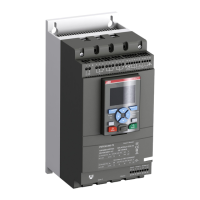
ABB PSTX250
188 pages
Print Icon
To Next Page IconTo Next Page
Loading...
1SFC132081M0201
Softstarters Type PSTX30...PSTX1250
Installation and commissioning manual

Questions and Answers

  • M
    Margaret OliverAug 28, 2025
    What should I do if my ABB PSTX250 displays 'Heatsink overtemperature'?
    • J
      Julia WeberAug 28, 2025
      Ensure that the fans are functioning correctly and that the airways are free from dirt and dust. Also, verify that the ambient temperature is not too high. If the fault persists after a reset, the heatsink is still too hot and needs to cool down.
  • M
    Michael KellerAug 27, 2025
    What does it mean when my ABB Controller displays 'Under voltage'?
    • L
      Laura SanchezAug 27, 2025
      An undervoltage error indicates that the main voltage is too low. Perform a check of the main voltage.
  • G
    Gabriela StevensonAug 27, 2025
    What does it mean when my ABB Controller displays 'Overvoltage'?
    • Z
      Zachary JohnsonAug 27, 2025
      An overvoltage error indicates that the main voltage is too high. Perform a check of the main voltage.
  • S
    Samantha BuchananAug 25, 2025
    What should I do if my ABB PSTX250 displays 'Locked rotor'?
    • E
      Eric BakerAug 26, 2025
      Examine the bearings of the motor and the load to ensure they run easily. A damaged bearing or a load stock could be the cause.
  • F
    friedmankatherineAug 25, 2025
    What does it mean when my ABB Controller displays 'Ground fault'?
    • L
      Leslie HoltAug 25, 2025
      A ground fault indicates that the sum of the instantaneous line currents in your 3-phase system differs more than the specified value. Examine the motor cables and the motor itself for any issues.

Summary

Read this first

General safety information

Provides essential safety guidelines for operating the softstarter and related equipment.

2 Quick start

Connection

Provides instructions for connecting the Softstarter, including main circuit and terminal connections.

Configuration

Guides through the initial setup and configuration of the Softstarter using assistant menus.

How to start;stop the motor

Explains the procedures for starting and stopping the motor using the keypad or hardwire control.

3 Description

4 Installation

Install

Covers the general installation procedures, including lifting, clearances, and mounting.

5 Connection

Electrical connection

Describes the main electrical connections for the Softstarter, including power and control circuits.

Start and Stop - terminals 13, 14, 18, 19, 20, 21

Explains how to connect start and stop signals using internal or external control voltage.

6 Human machine interface (HMI)

Keypad

Describes the function of each key on the HMI keypad, including navigation and soft keys.

Parameters

Describes how to access and modify Softstarter parameters through various menus like Complete list and Favorites.

7 Functions

Motor Current Ie

Details how to set the motor's rated current, crucial for optimal performance and protection.

Protections

Details the various protection functions available to safeguard the system.

Faults

Explains the fault detection functions that protect the Softstarter and motor from malfunctions.

8 Communication

9 Maintenance

10 Troubleshooting

Troubleshooting

Offers solutions for common issues like motor humming, bad motor sound, and starting problems.

11 Wiring and application diagrams

Circuit diagram PSTX

Shows the circuit diagrams for the PSTX Softstarter in both IEC and UL versions.

ABB PSTX250 Specifications

General IconGeneral
BrandABB
ModelPSTX250
CategoryController
LanguageEnglish

Related product manuals