59
34OX_30-1600 rev. B / 1SCC303011M0201
1
TOUCH
4.2.1.2 Main Menu
—
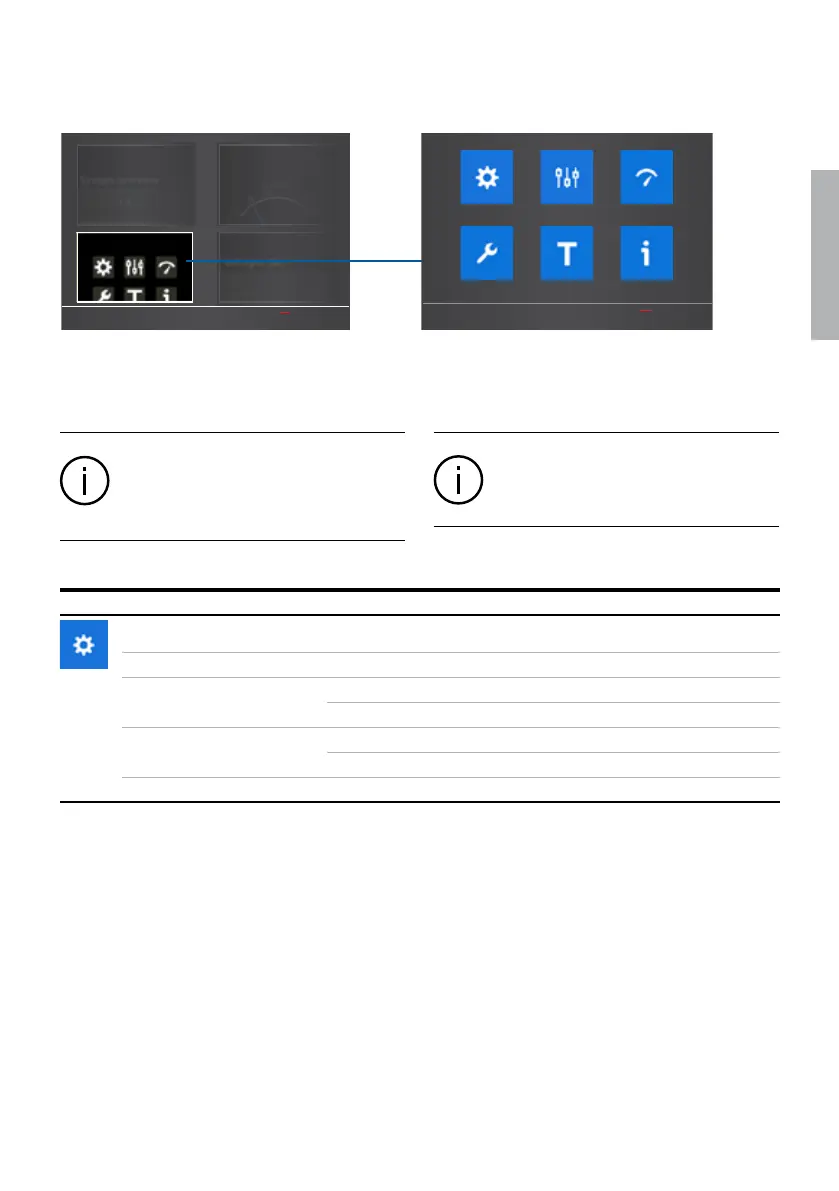
Fig. 4.15 By touching on Start Menu lower left corner
-image you can move to the Main Menu page of
Operation, Parameters, Measurements, Settings, Test
and About, see the table below for the selections
TruONE ATS
Overviews
Main Menu Measures
Analog Meters
Operation Parameters Measurements
AboutTestSettings
TruONE ATS
Information
When you have changed the parameter, go
always back in the menu and confirm the
change always when asked.
Information
The default values are marked in the menu
tree by *-marking.
Operation *Default
Alarm Reset
Reset any active switch control alarms (open I failure, close I
failure, open II failure, close II failure)
Bypass Time Delay Bypass any currently running time delay
Automatic Mode On* Automatic switch control mode
Off HMI control mode
HMI Control Keys (I, II) Enabled*
Disabled
Energy Counters Reset energy values


 To Next Page