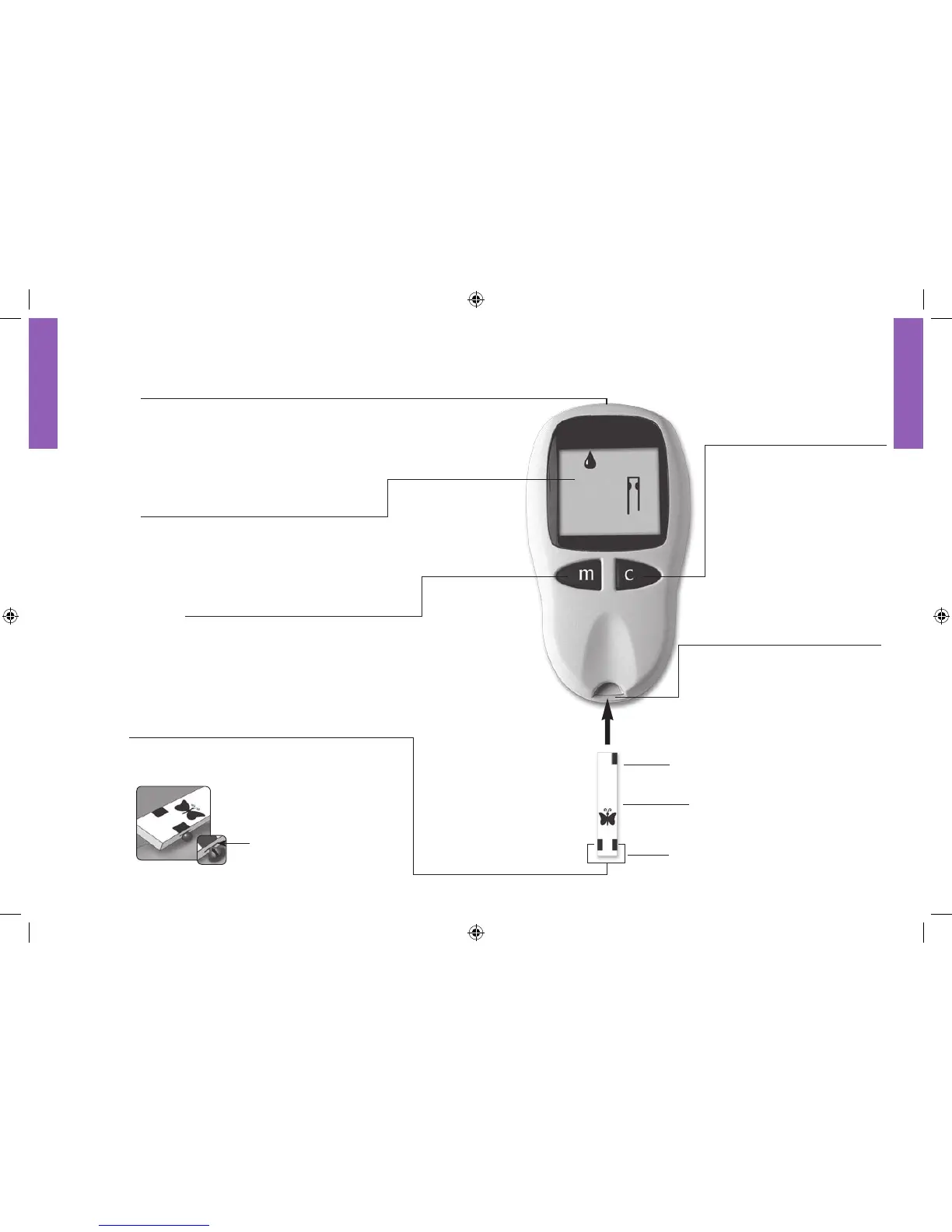
c Button
Marks a control solution test.•
Changes the test strip code •
(scrolls forward), date, time,
sound options, and reviews
stored readings.
Bottom
AlphaTRAK Test Strip
To p
Test Strip Port
Insert the top end of an
AlphaTRAK test strip here.
Data Port
Data management system is not available for the
AlphaTRAK Meter.
Display Screen
Displays the test results and other
important information.
m Button
Powers the meter on and off.•
Moves to different mode settings.•
Changes the test strip code (scrolls •
backward).
Sample Areas (rectangles)
Apply blood or control solution to one edge of
sample area of the strip only.
The AlphaTRAK™ Meter and How It Works
Sample area of test strip















 To Next Page