Monitoring
Blood Glucose
19 20
How to Monitor Your Blood Glucose
Getting Started
1
Prepare your lancing device.
2
Wash your hands using warm soapy
water and dry them completely.
3
Remove the test strip from its foil packet.
Note: For pictures that show how to open the
blood glucose test strip foil packet, please see the
information card in the box of blood glucose test strips.
4
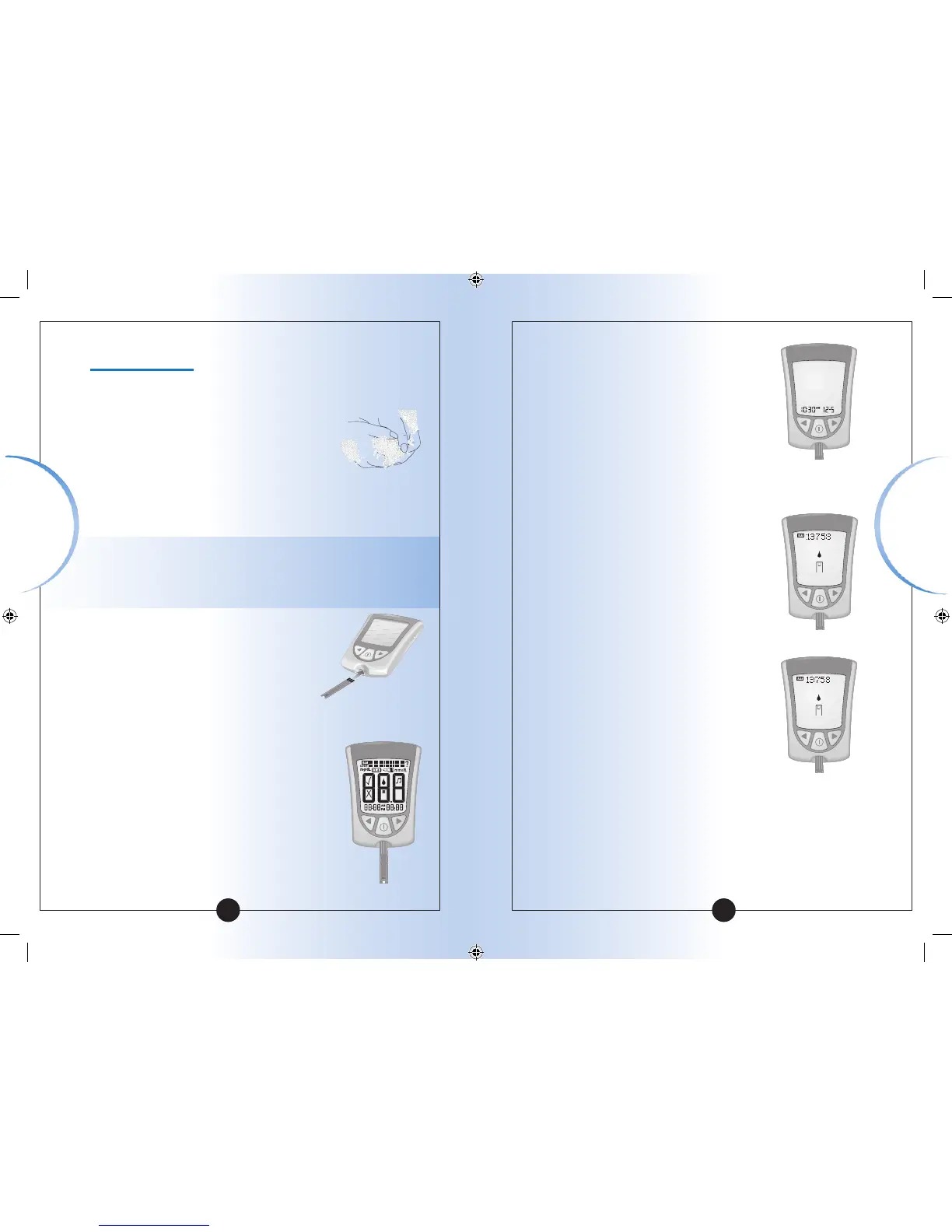
Insert the three black lines at the end
of the test strip into the strip port.
5
Push the test strip in until it stops.
The meter turns on automatically.
These items show on the display
window, one after the other:
• Display Check – Remember to make
sure that all items in the picture
here show on the display window.
(See Chapter 1 for more information
about the Display Check.)
▼
• Time, month, and day (if set)
If date and time are not set, dashes
will show instead of numbers.
• LOT number for the box of blood
glucose test strips you are using.
• Apply Sample message, which tells
you that the meter is ready for you to
apply blood to the blood glucose
test strip.
Monitoring
Blood Glucose














 To Next Page