65
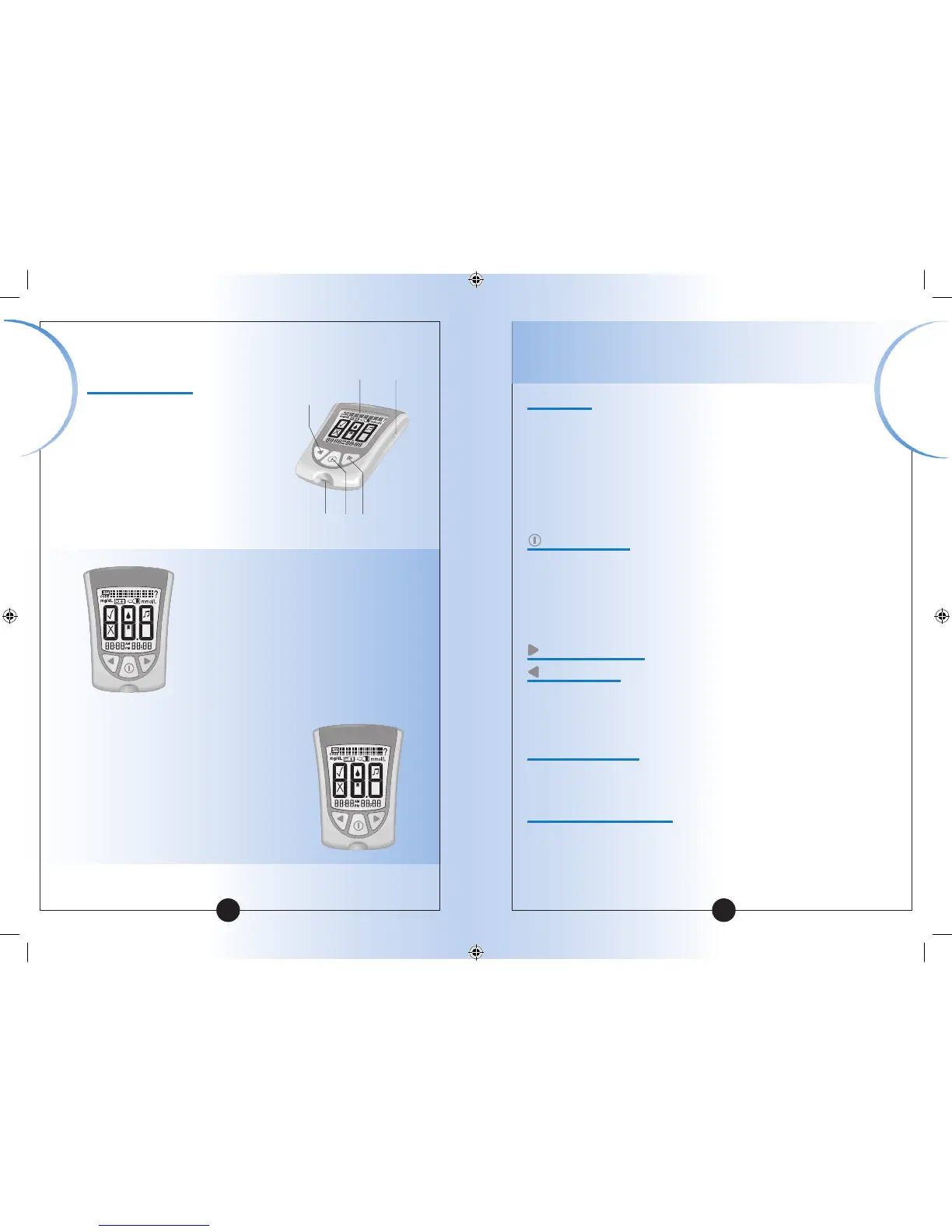
Strip Port
This is where you insert:
• A blood glucose test strip
• A blood β-Ketone test strip
• A glucose calibrator
• A ketone calibrator
• Data cable (not included) for uploading
results to a computer
Mode Button
Use this button to:
• Turn meter ON and OFF
• Access meter setup options
• Access and save meter settings
• Access previous results and averages
Forward Button
Back Button
Use these buttons to:
• Review and select meter settings
• Review results and averages
Backlight Button
Use this button to:
• Turn backlight ON and OFF
Battery Compartment
This is where the battery is installed.
• If your meter does not turn on, check that
your battery is installed properly.
• For new battery installation, see Chapter 10.
Getting to Know Your Meter’s Features
Display Window
This shows:
• Blood glucose and blood
β-Ketone results
• Glucose LOT numbers and
β-Ketone calibration CODEs
• Previous test results and
error messages
• Blood glucose averages
IMPORTANT:
Each time you turn your meter on,
a full display shows. This is called a
Display Check. Look at the Display
Check each time it appears on your
meter’s display window, especially
before you monitor your blood glucose
or blood β-Ketone. The Display Check
shows on the display window briefly.
Do not use the meter if the meter
Display Check does not exactly match
the picture here (for example, if you
see a "3" instead of an "8"). The meter
may show an incorrect result when
you use it. Please call Customer
Service for assistance.
Back
Button
Backlight
Button
Display
Window
Strip
Port
Mode
Button
Forward
Button
▼
Display Check
IMPORTANT: Avoid getting dust, dirt, blood, control
solution, water, or any other substance in the test strip port
Important
Information
Important
Information














 To Next Page