37
Control Solution
Testing
38
3
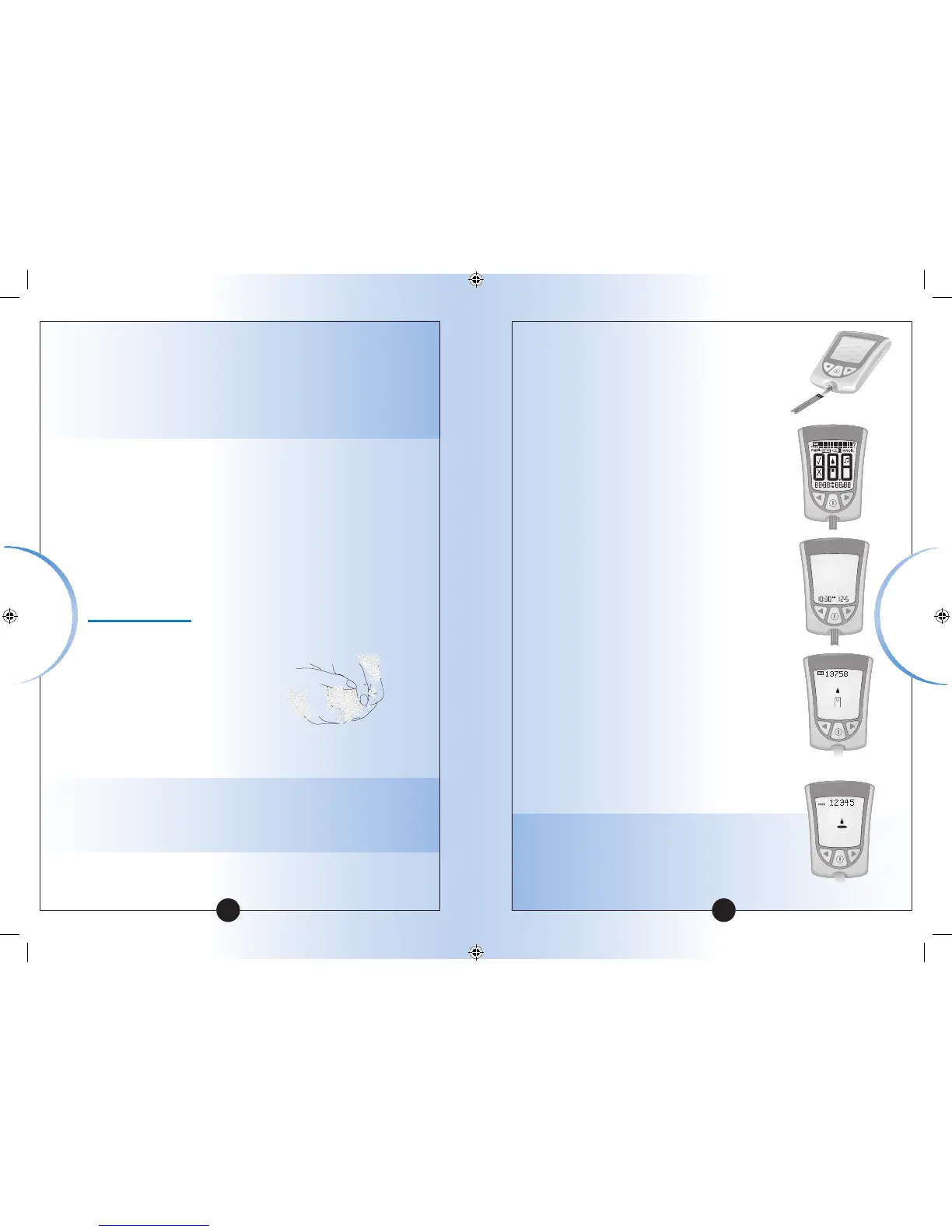
Insert the three black lines at the end of
the test strip into the strip port.
4
Push the test strip in until it stops.
The meter turns on automatically.
These items show on the display
window, one after the other:
•Display Check – Remember to make
sure that all items in the picture here
show on the display window. (See
Chapter 1 for more information about
the Display Check.)
•Time, month, and day (if set)
If date and time are not set, dashes will
show instead of numbers.
•LOT number for the box of test strips you
are using.
•Apply Sample message, which tells you
that the meter is ready for you to apply
control solution to the test strip.
Note: If you are a doing a β-Ketone control
solution test, KETONE will show on the
meter’s display window with the β-Ketone
Apply Sample message.
Control
Solution Testing
• The results obtained from control testing do not reflect
your personal blood glucose or blood β-Ketone levels in
any way.
• Do not swallow the control solution.
• Do not inject the control solution or use the control
solution as eye drops.
What You Will Need
• Optium Xceed meter calibrated to match the LOT number
of the test strip you are using
• Blood glucose or blood β-Ketone test strip and its
instructions for use
• Optium or MediSense Control Solutions and instructions
for use
How to Do Control Solution Testing
Getting Started
1
Wash your hands using warm soapy water and dry
them completely.
2
Remove the test strip from its foil packet.
Note: For pictures that show how to open the blood
glucose test strip foil packet, please see the information
card in the box of test strips.
▼▼
Glucose
β-Ketone














 To Next Page