11
Choice #1
Choice #2
Month:
The Month flashes on and off.
1
Press and Release the button to
move the month forward.
2
If you go past the correct month,
Press and Release the
button to
move the month back.
3
Press and Release the
button to save
the month and to move to Set Day.
Day:
The Day flashes on and off.
1
Press and Release the button to
move the
day forward.
2
If you go past the correct day, Press
and Release the
button to move
the day back.
3
Press and Release the
button to
save the day and to move to Set
Time Format.
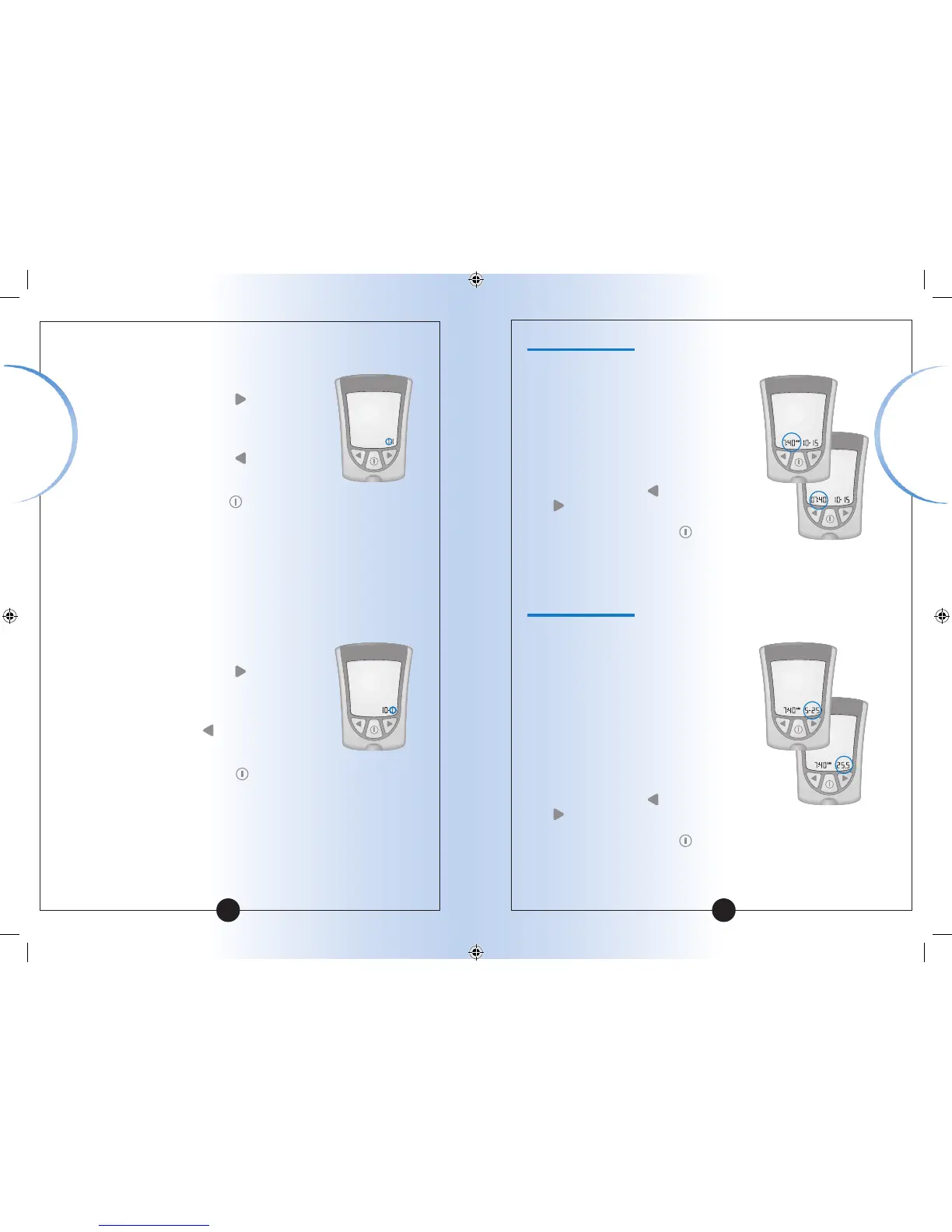
Set Time Format
You have two choices:
Choice #1: For the 12-hour format,
AM or PM shows.
Choice #2: For the 24-hour format,
AM or PM does not show.
1
To change the Time Format, Press
and Release the
button or the
button once.
2
Press and Release the button to
save the Time Format and to move
to Set Date Format.
Set Date Format
You have two choices:
Choice #1: For the month-day format,
"-" shows with the date.
Example: "25 May" shows as "5-25".
Choice #2: For the day.month format,
"•" shows with the date.
Example: "25 May" shows as "25.5".
1
To change the Date Format, Press
and Release the
button or the
button once.
2
Press and Release the button to
save the Date Format and to move
to Measurement Units.
12
Setting Up
Your Meter
Setting Up
Your Meter














 To Next Page