EasyManua.ls Logo

Abbott Optimum Xceed - Resolving Specific Error Messages

Abbott Optimum Xceed
34 pages
Print Icon
To Next Page IconTo Next Page
To Previous Page IconTo Previous Page
Loading...
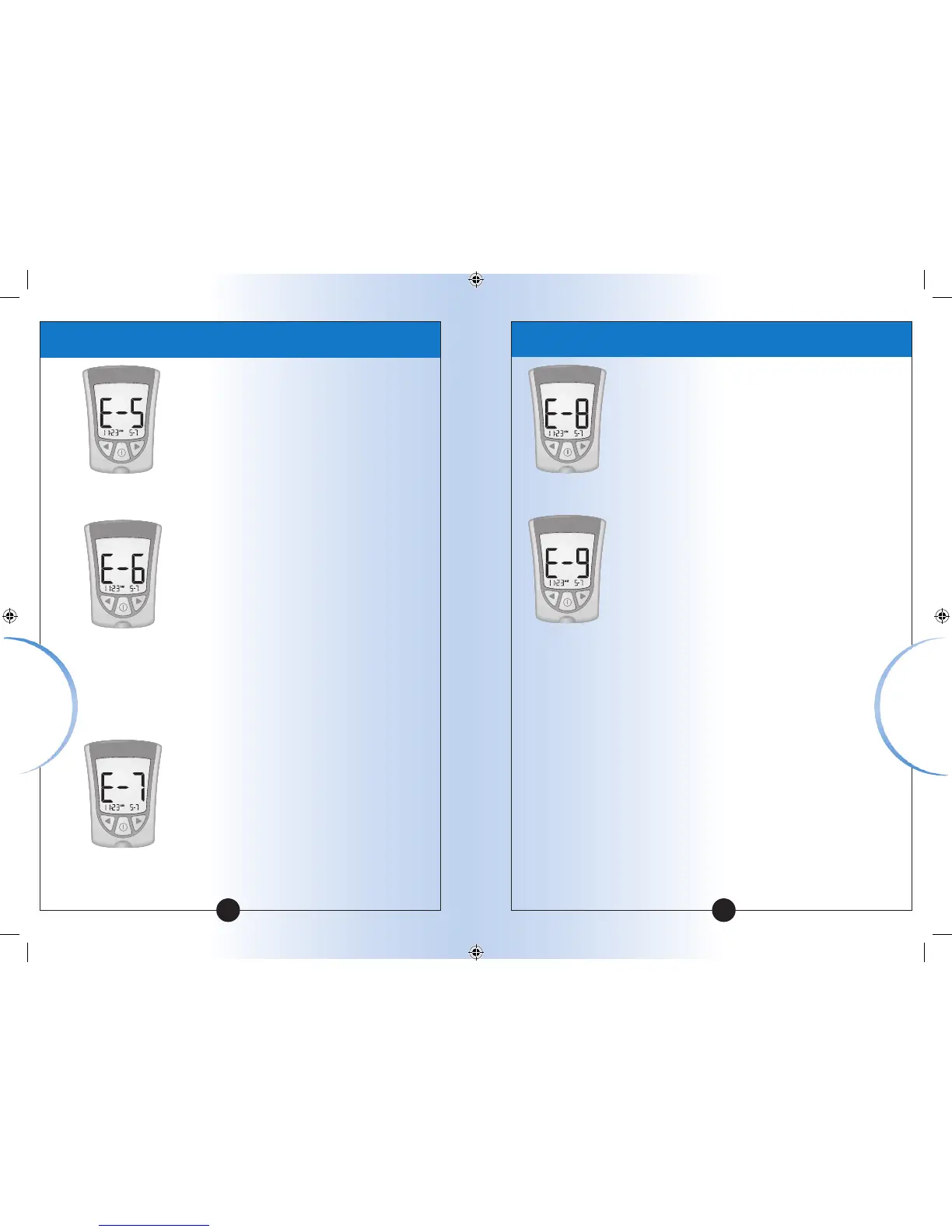
Blood applied to
test strip too soon.
Calibration/Test
strip error.
Test strip error.
Test strip is
damaged, used, or
the meter does not
recognize it.
•
Review the monitoring
instructions.
Monitor again with a
new test strip.
If the error message
appears again, contact
Customer Service.
Repeat the calibration
using the calibrator
bar that came with
the test strip you are
using.
Check the date setting
on your meter.
Check the expiry date
on the test strip foil
packet.
If the error message
appears again, contact
Customer Service.
Monitor again using
a test strip designed
for use with Optium
Xceed.
If the error message
appears again, contact
Customer Service.
Message
What It What You
Means Need to Do
Message
What It What You
Means Need to Do
Meter error.
Meter error.
•
Remove test strip, turn
meter off, and try to
monitor again.
If the error message
appears again, contact
Customer Service.
Remove test strip, turn
meter off, and try to
monitor again.
If the error message
appears again, contact
Customer Service.
49 50
Error Messages
Error Messages
ART13613-001_Rev-D-Guide.indd 52-53 2/19/09 2:05:00 PM

Table of Contents

Related product manuals