16 Initial Setup
Set Continuous Infusion Rates
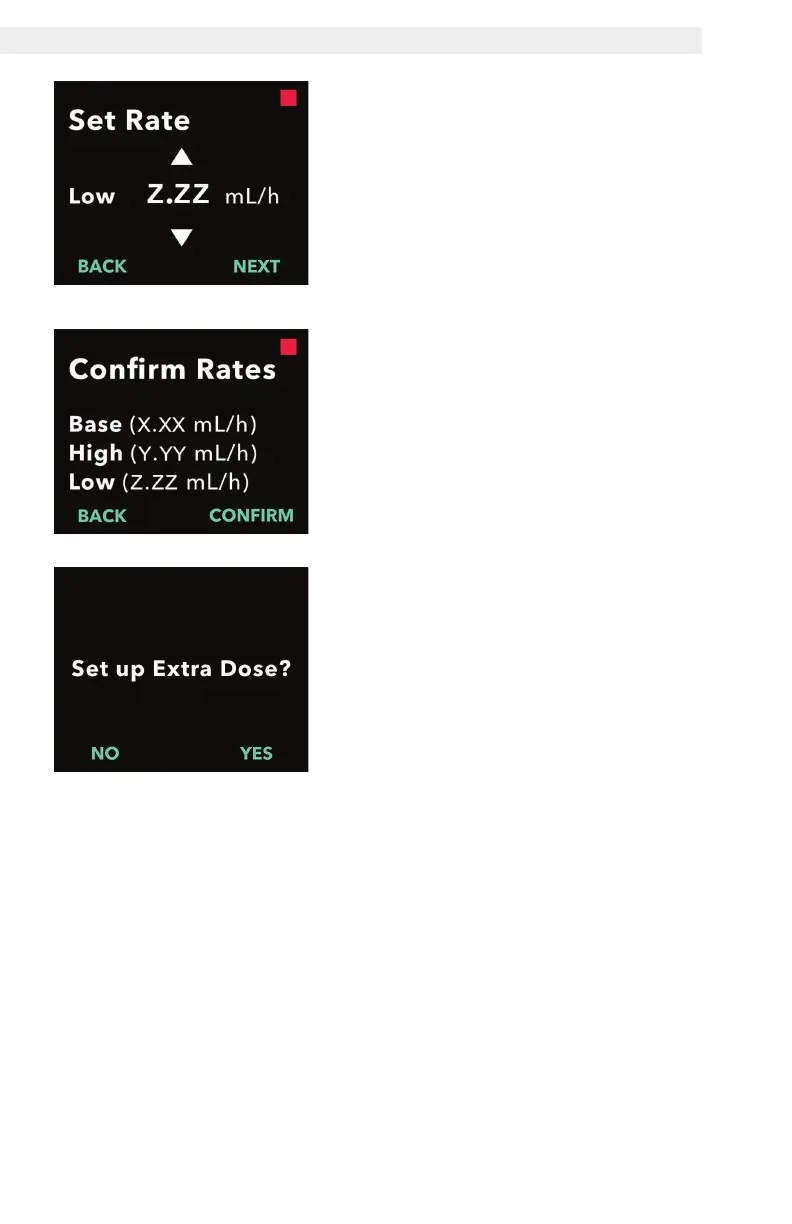
3. Set the low rate.
a. Use the arrow keys to choose the
value.
b. Press NEXT once the low rate is
set to the correct value.
Note: To disable the low rate, set the
low rate to the same value as the
base rate.
4. Confirm rate values.
a. Press CONFIRM.
Note: To change any value, press
BACK until you reach the desired
screen.
Note: After rate settings are
conrmed, the display will offer the
option to set up an extra dose.
If you select NO, the pump will
conrm the extra dose is not set.
See next page to continue.


 To Next Page