41Change PIN
Disable Loading Dose
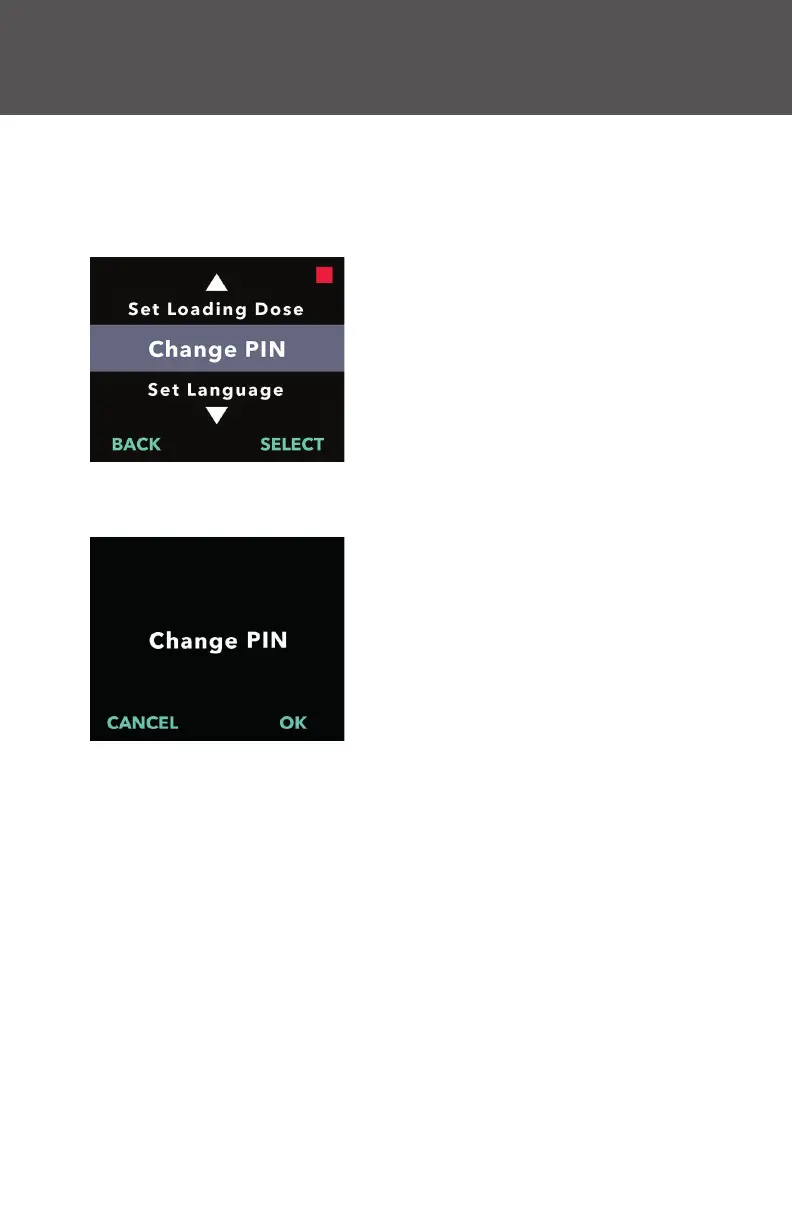
5. Change PIN
If you need to change your PIN, you can do so within the clinician
settings menu.
Note: The current PIN must be entered to access the clinician settings
menu.
1. Navigate to Change PIN in the
Clinician Settings menu.
a. Use the arrow keys to navigate to
Change PIN.
b. Press SELECT to change the PIN.
Note: To return to the status screen,
press BACK.
Note: The new PIN will be needed to
access clinician settings to change
therapy settings, if needed.
Note: The PIN can NOT be the same
4 digits (e.g., 2222) and can NOT be
4 consecutive digits (e.g., 2345 or
5432).


 To Next Page