42 Change PIN
Change PIN
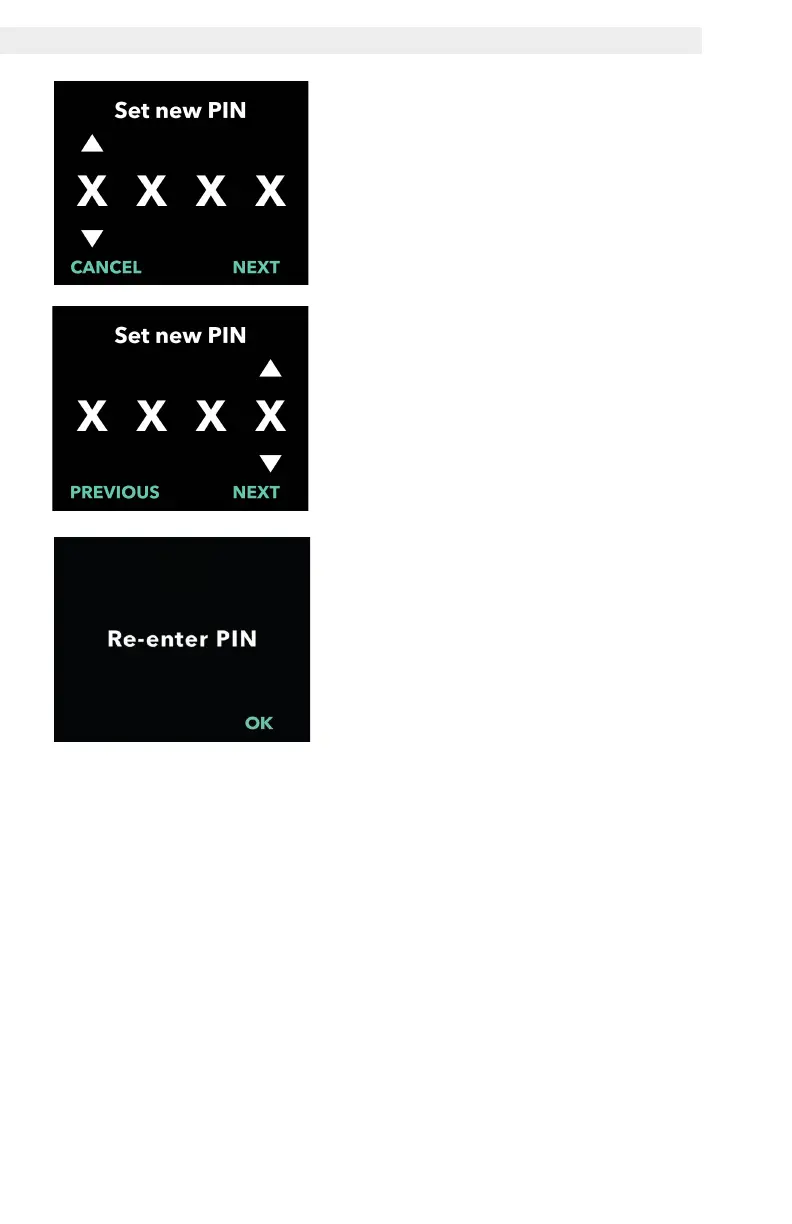
2. Enter the new PIN.
a. Use the arrow keys to choose the
number.
b. Use the NEXT and PREVIOUS
buttons to select each digit.
c. Once the desired PIN is displayed,
press NEXT to advance to the next
screen.
3. Press OK to re-enter and confirm
the new PIN.


 To Next Page