39Set Language
Disable Loading Dose
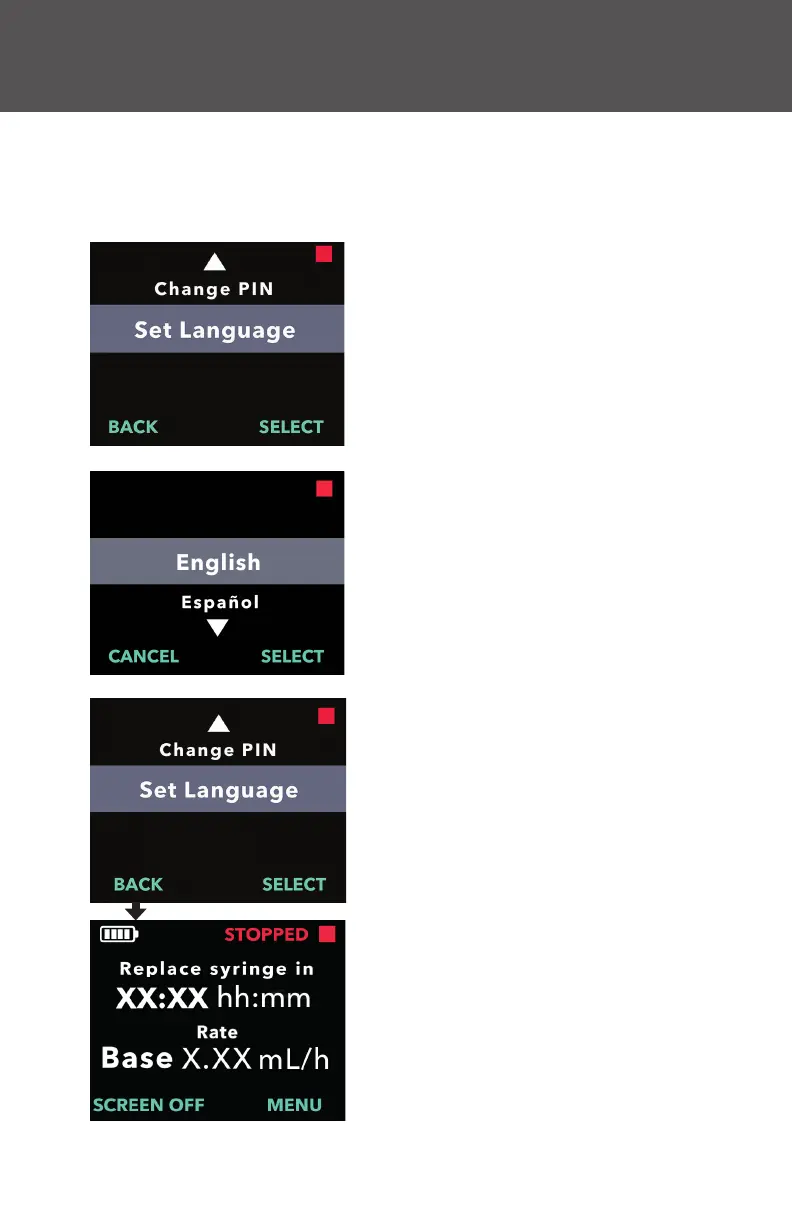
1. Navigate to Set Language in the
Clinician Settings menu.
a. Press SELECT.
2. Select language.
a. Use the arrow keys to choose the
language.
b. Press SELECT once the desired
language is selected.
3. Press BACK to return to the Status
Screen.
4. Set Language
If there is more than one language, the Set Language option allows the
language to be selected. If the pump has only one language, the "Set
Language" menu option will not be displayed.


 To Next Page