51Re-packaging for Patient Use
8. Re-packaging for Patient Use
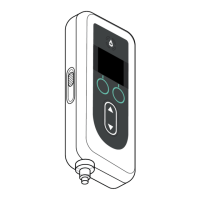
If the pump has been programmed for patient use, but needs to be re-
packaged (e.g., to ship it to the patient's home), follow these steps:
1. Remove the battery from the pump.
Note: When the battery is removed, the pump displays a message
that the battery is removed. The display remains lit for several
minutes. You may re-package while the display is lit because it will
turn off automatically.
Note: The pump will retain all of the settings after the battery is
removed.
2. Insert the battery into the small battery box and then place it on
top of the spare battery in the battery holder compartment of the
pump kit.
3. Insert the pump back into the pump compartment of the pump kit.
4. Replace any other components that were removed during pump
programming to their original compartments in the pump kit.
• 1 pump
• 1 carrying accessory
• 1 charging system including battery charger and AC/mains
adapter with charging cable
• 2 batteries
• 1 Limited Warranty VYAFUSER Pump sheet
• 1 MRI Safety Information card
• 4 Instructions for Use documents:
• 1 Patient Instructions for Use for VYAFUSER Pump
• 1 AC/Mains Adapter IFU (Instruction Manual Power
Supplies)
• 1 Battery Charger IFU (RRC-SCC1120-PM Series)
• 1 Instructions for Use of VYAFUSER Pump Carrying
Accessory
5. Close the lid of the box.
Close all of the inner aps in the kit so when the outer lid is closed, it
lays at.
Note: Do NOT include the Healthcare Professional Instructions for
Use of VYAFUSER Pump.
Note: If the pump is to be recycled or disposed, do so according to
local regulations.


 To Next Page