36 Change Therapy Settings
Disable Loading Dose
3.8 Disable Loading Dose
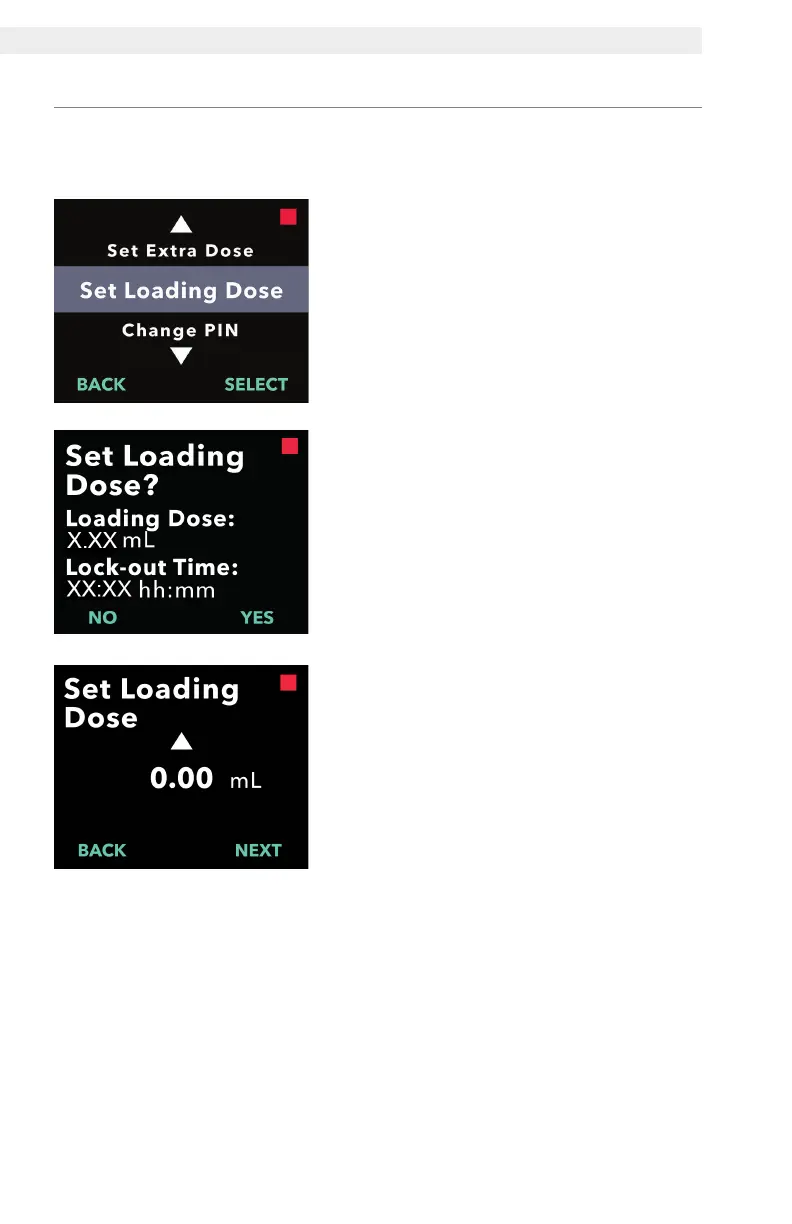
1. Navigate to Set Loading Dose in the
Clinician Settings menu.
a. Press SELECT.
3. Adjust the Loading Dose value to
0.00.
a. Use the arrow keys to choose the
value.
b. Press NEXT once loading dose is
adjusted to the correct value.
2. Set Loading Dose.
a. Press YES.
Disabling the loading dose is done by setting the loading dose volume to
0.00.


 To Next Page