24 Change Therapy Settings
Access Clinician Settings
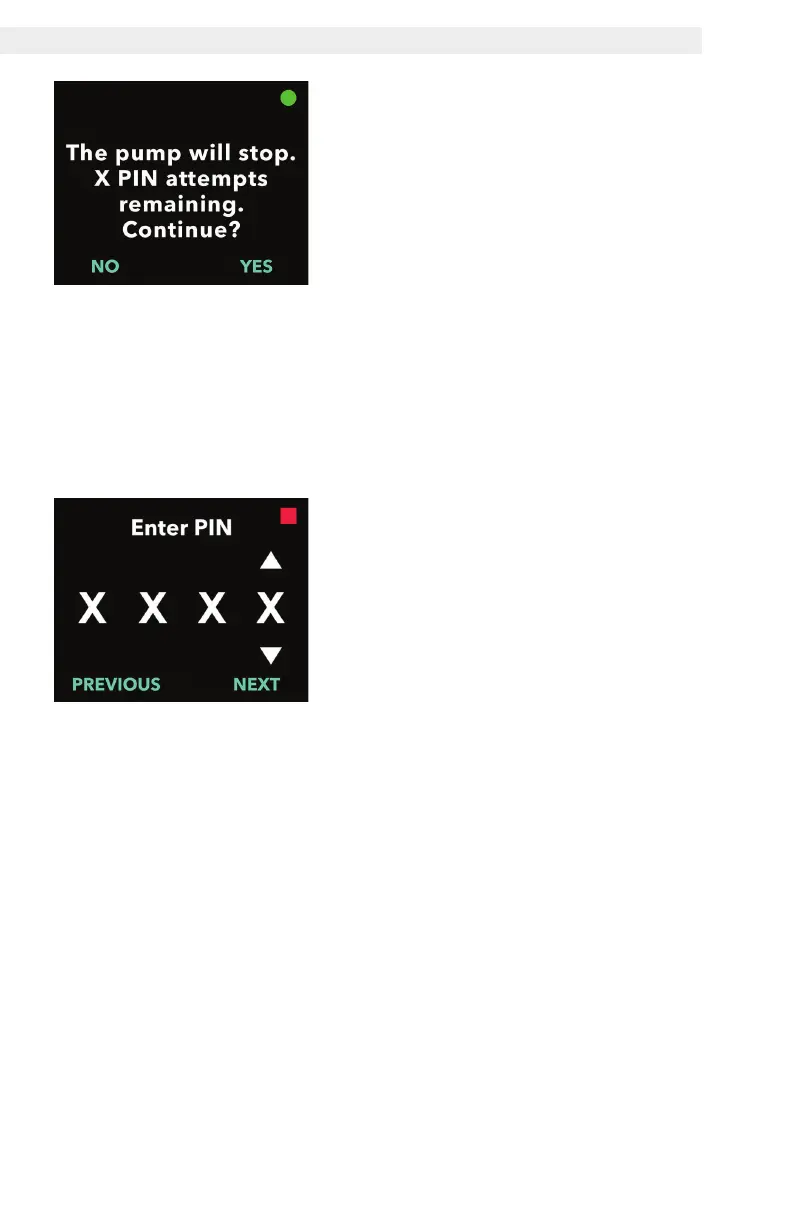
3. Enter the PIN.
a. Use the arrow keys to choose the
number.
b. Use the NEXT and PREVIOUS
buttons to select each digit.
c. Once the correct PIN is displayed,
press NEXT to advance to the
clinician settings menus.
2. If the pump is running, press YES
to confirm pump stop.
Note: If the pump is not running, the
stopped icon (red square) will appear
in the upper right corner. The screen
will not say "The pump will stop"
because it is already stopped.
Note: Pressing NO will return you to
the Status Screen, with the pump still
administering therapy.
Note: To access clinician settings, the
PIN must be entered. The pump will
lock out after 5 failed attempts for PIN
entry.


 To Next Page