3-26 Chapter 3
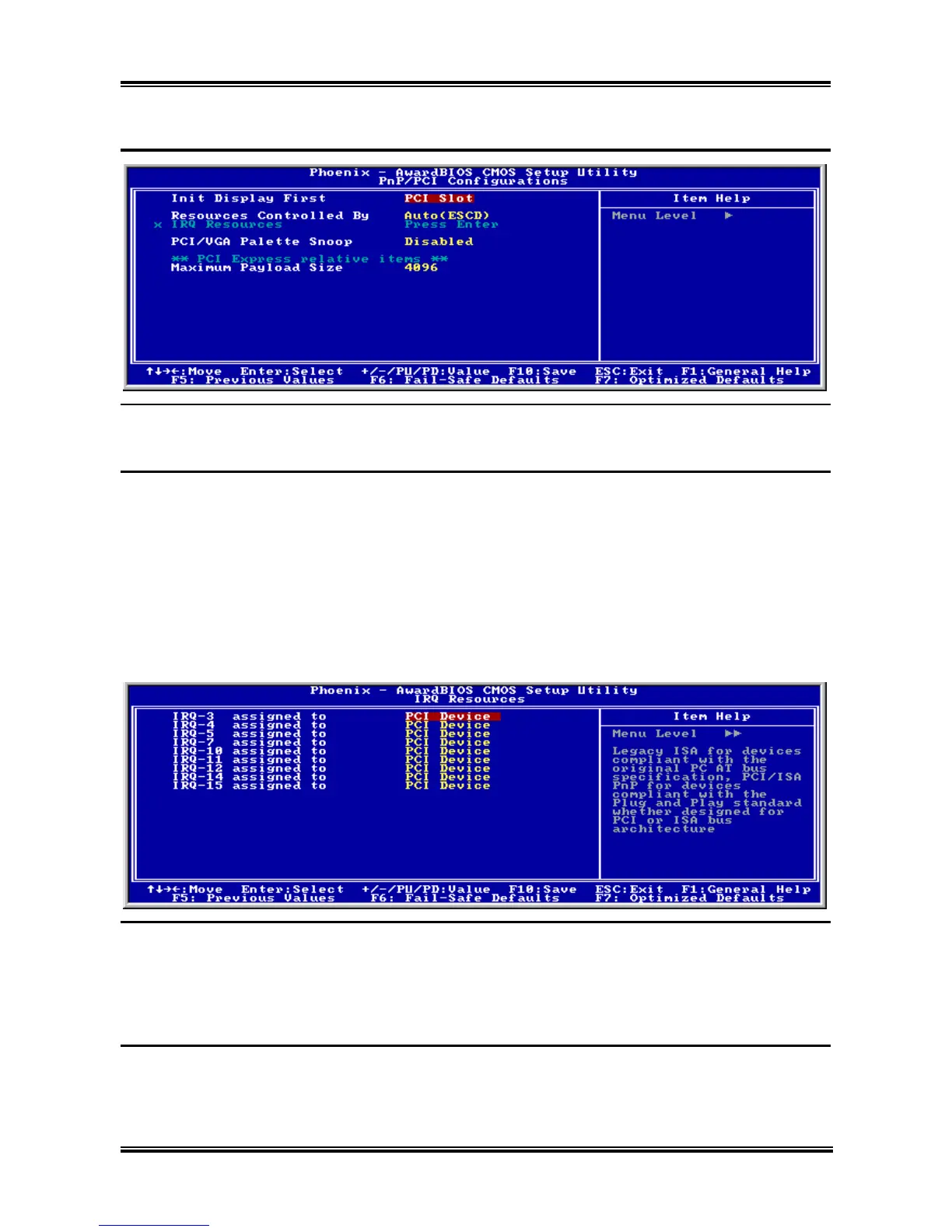
3-7. PnP/PCI Configurations
Init Display First
This item selects whether to initiates from “PCI Express Slot” or “PCI Slot” first when system boots up.
Resources Controlled By:
This item configures all of the boot and Plug-and-Play compatible devices.
[Auto(ESCD)]: The system will automatically detect the settings.
[Manual]: Choose the specific IRQ resources in the “IRQ Resources” menu.
! IRQ Resources:
Click <Enter> key to enter its submenu:
This item sets each system interrupt to either [PCI Device] or [Reserved].
PCI/VGA Palette Snoop:
This item determines whether the MPEG ISA/VESA VGA cards can work with PCI/VGA or not.
[Enabled]: MPEG ISA/VESA VGA cards work with PCI/VGA.
[Disabled]: MPEG ISA/VESA VGA cards do not work with PCI/VGA.
Maximum Payload Size
This item sets the maximum TLP payload size for the PCI Express devices.
AL8 Series



 To Next Page