Install Intel Matrix Storage Technology RAID Driver B-3
Intel SATA RAID
Configuration Utility
The on-chip Serial ATA RAID supports RAID
0/1/5/10.
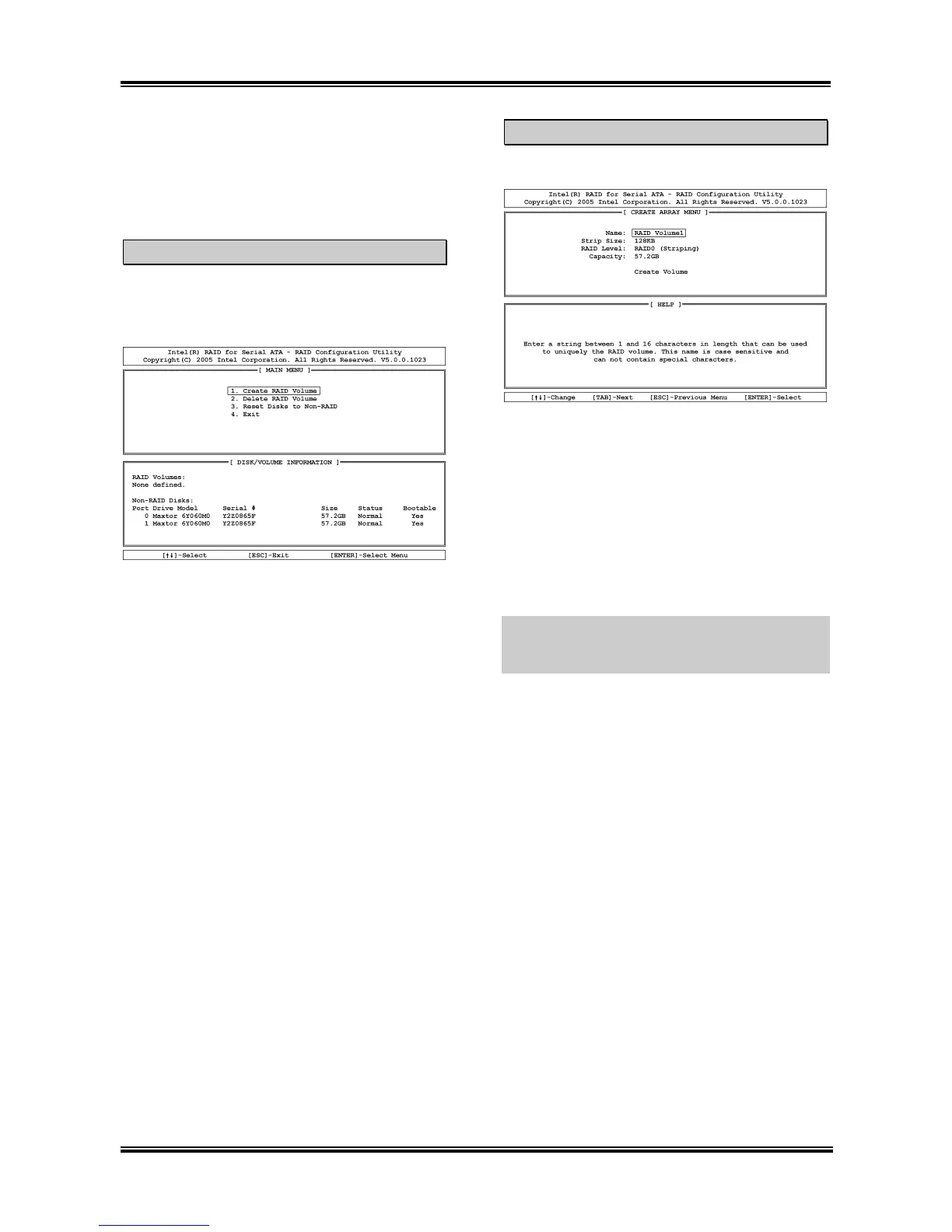
Main Menu
Reboot your system. Press <CTRL> + <I> key
while booting up the system to enter the main
menu of RAID Configuration Utility:
To select the option in this menu, you may:
• Press <↑↓> (up, down arrow) to choose
the option you want to confirm or to
modify.
• Press <Enter> to confirm the selection.
• Press <Esc> to return to previous menu.
Create RAID Volume
This item allows you to create a RAID array.
Name: This item displays the name of the
RAID array. You can enter up to 16 characters
in length. This name is case sensitive and cannot
contain special characters.
Strip Size: This item displays the strip value.
RAID Level: This item displays the RAID type.
Capacity: This item displays the capacity of
RAID array.
NOTE: It is highly recommended to attach hard
disks with the same model in reaching the
RAID performance.
User’s Manual



 To Next Page