3. Getting Started
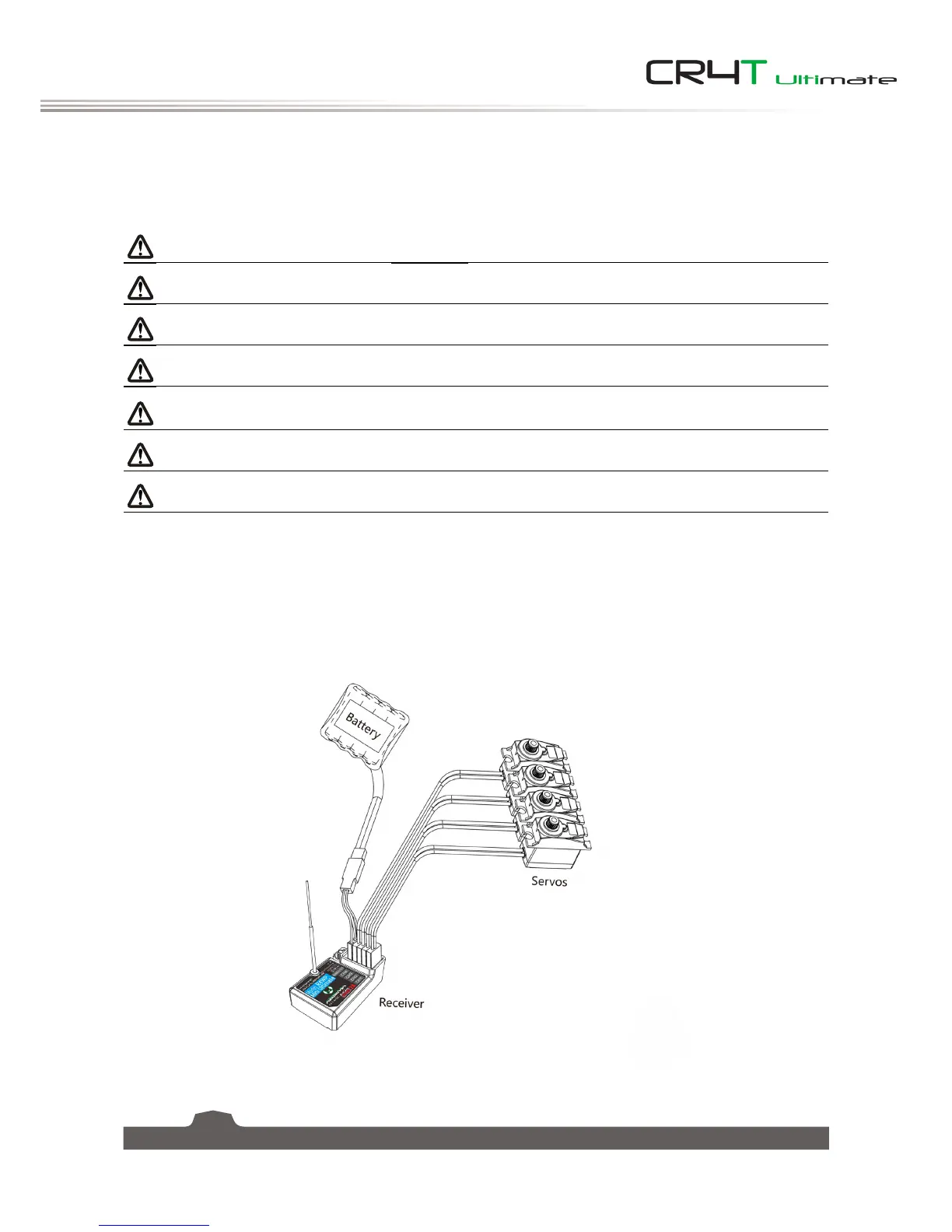
Before operation, install the battery and connect the system as instructed below.
3.1 Transmitter Battery Installation
Danger • Only use specified battery.
Danger • Do not open, disassemble, or attempt to repair the battery.
Danger • Do not crush/puncture the battery, or short the external contacts.
Danger • Do not expose to excessive heat or liquids.
Danger • Do not drop the battery or expose to strong shocks or vibrations.
Danger • Always store the battery in a cool, dry place.
Danger • Do not use the battery if damaged.
Follow the steps to install the transmitter battery:
1. Open the battery compartment.
2. Insert a fully-charged battery into the compartment. Make sure that the battery makes good contact
with the battery compartment's contacts.
3. Replace the battery compartment cover.


 To Next Page