5. Home Screen
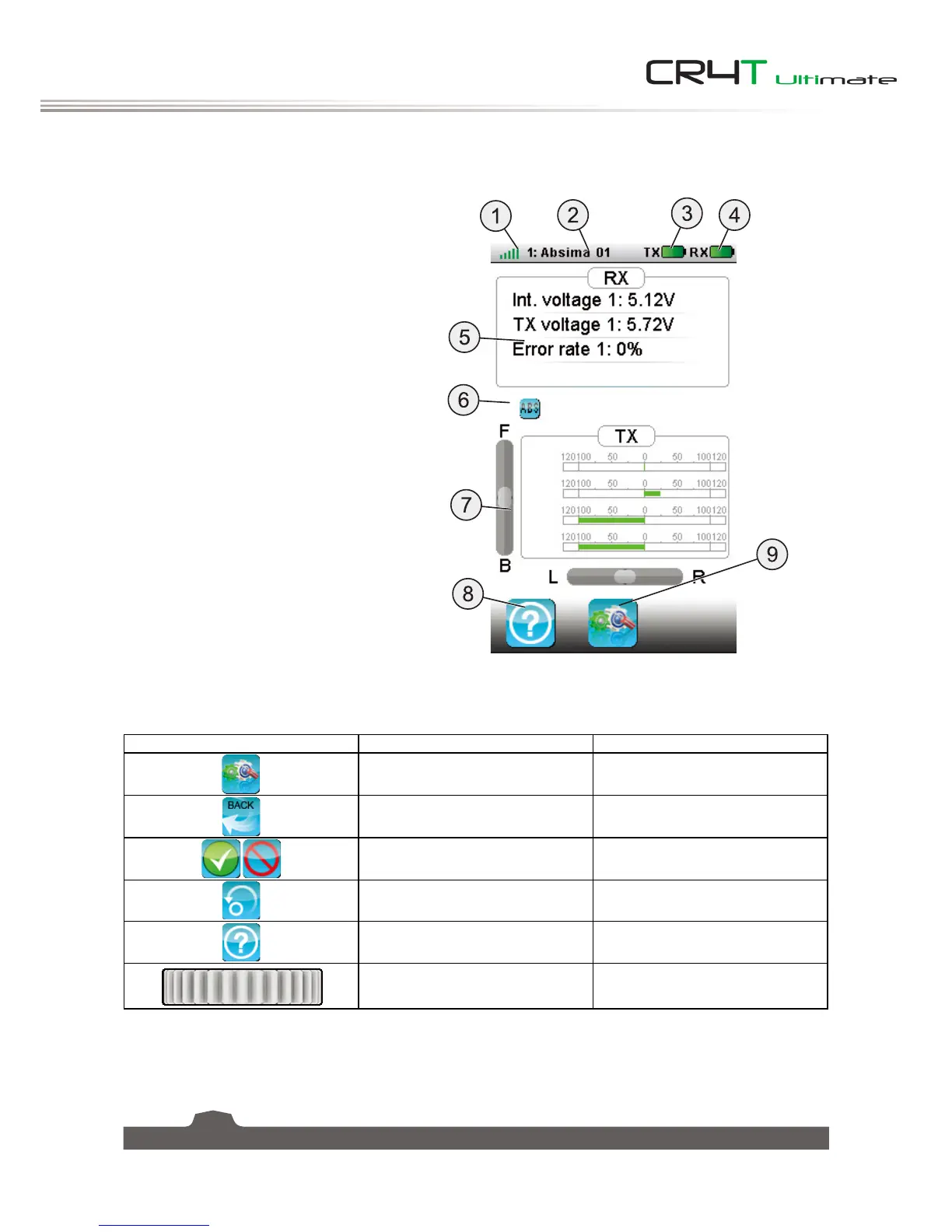
The home screen diplays useful information about your model, including sensors and function status etc.
1. Receiver signal
2. Profile
3. Radio contorl battery
4. Receiver battery
5. Receiver status
6. Settings
7. Radio control status
8. Help
9. Main menu
The system's navagation is designed to be easy and quick, using both a stylus and fingers.
Icon Function Discription
Main Menu Opens the main menu.
Back Returns to the previous menu.
Activate/Deactivate Acitivate or deactivate the current
function.
Reset Resets the current function to its
default settings.
Help Accesses the onboard help files.
Control Changes values within the current
function.


 To Next Page