19
6.7 Throttle Neutral
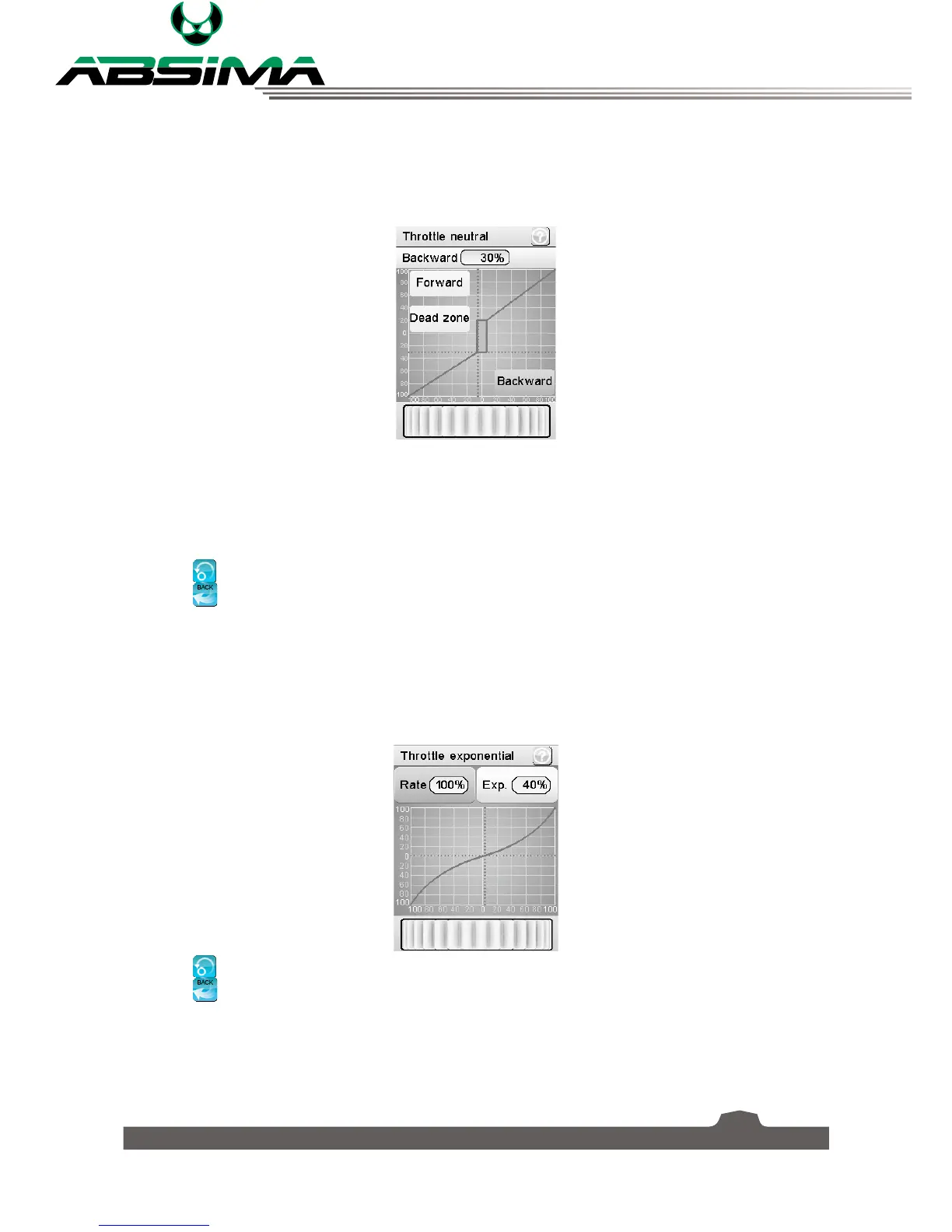
This function sets a "dead zone" for their throttle control, which means that the throttle will not function
while still within the dead zone. You can set up the initial amount of throttle that will be applied when the
throttle leaves the dead zone, for driving forward and backward separately.
To set the throttle neutral:
1. Select [
Forward
], [
Dead zone
] or [
Backward
].
2. Move the wheel at the bottom of the screen left to reduce the value or right to increase the value.
Select the
icon to reset the function.
Select the
icon to return to the previous menu.
6.8 Throttle Exponential
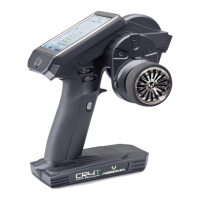
This function has two variables:
• Rate: Reducing the rate shrinks the outer limits of the curve. As the rate drops below 100%, the graph
will update in real-time. The maximum is 100%.
• Exp. (Exponential): Exponential adds curve. It is possible to move to +-100% creating opposite curves.
Select the
icon to reset the function.
Select the
icon to return to the previous menu.
This function can be toggled using a switch/button, this is assigned in the [
Keys function
].


 To Next Page