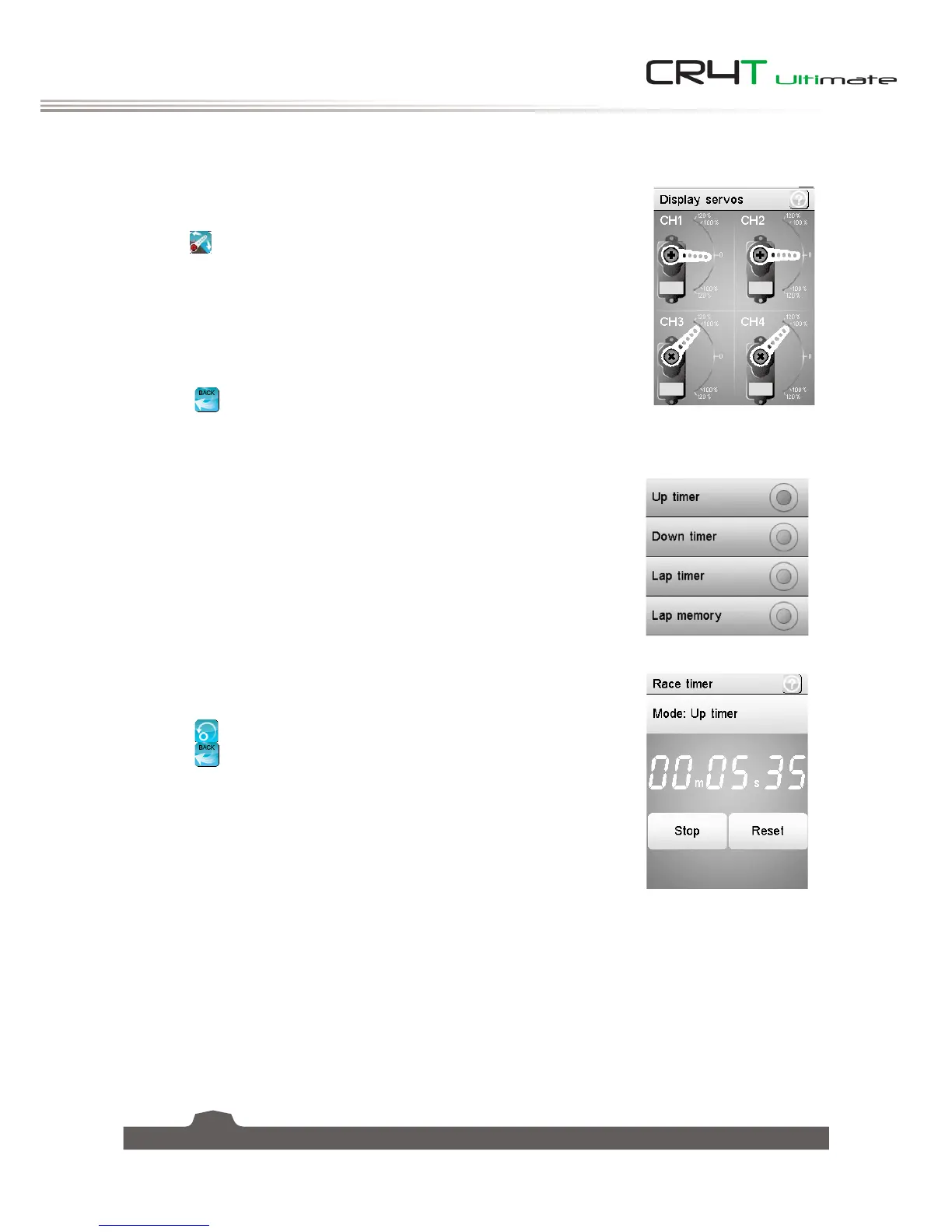
6.18 Display Servos
This function displays the model's channel output and can be used to test
output and servo range.
Press the
icon and the servos will move slowly though their entire range.
Press the icon again to toggle the function.
WARNING
Make sure the model engine is powered off while the test function is activated.
If powered on, it will rev up and cause unexpected results.
Select the
icon to return to the previous menu.
6.19 Race Timer
The race timer has 4 modes:
• Up timer: Counts up.
• Down timer: Counts down from the set time.
• Lap timer: Keeps track time for each individual lap.
• Lap memory: Records the results from the lap timer.
Touch [
Start
] to start the timer, [
Stop
] to stop, and [
Reset
] to reset the
function.
Select the
icon to reset the function.
Select the
icon to return to the previous menu.
6.20 Keys Function
This function assigns the system's physical buttons to different functions for quick control.
To set the keys function:
1. Touch one of the trim or switches shown on the diagram. The function list for this trim or switch is
displayed.
2. Scroll down the list until you find the function you wish to assign and select it.
Then the function will automatically return to the previous menu.


 To Next Page