6.5 Steering Speed
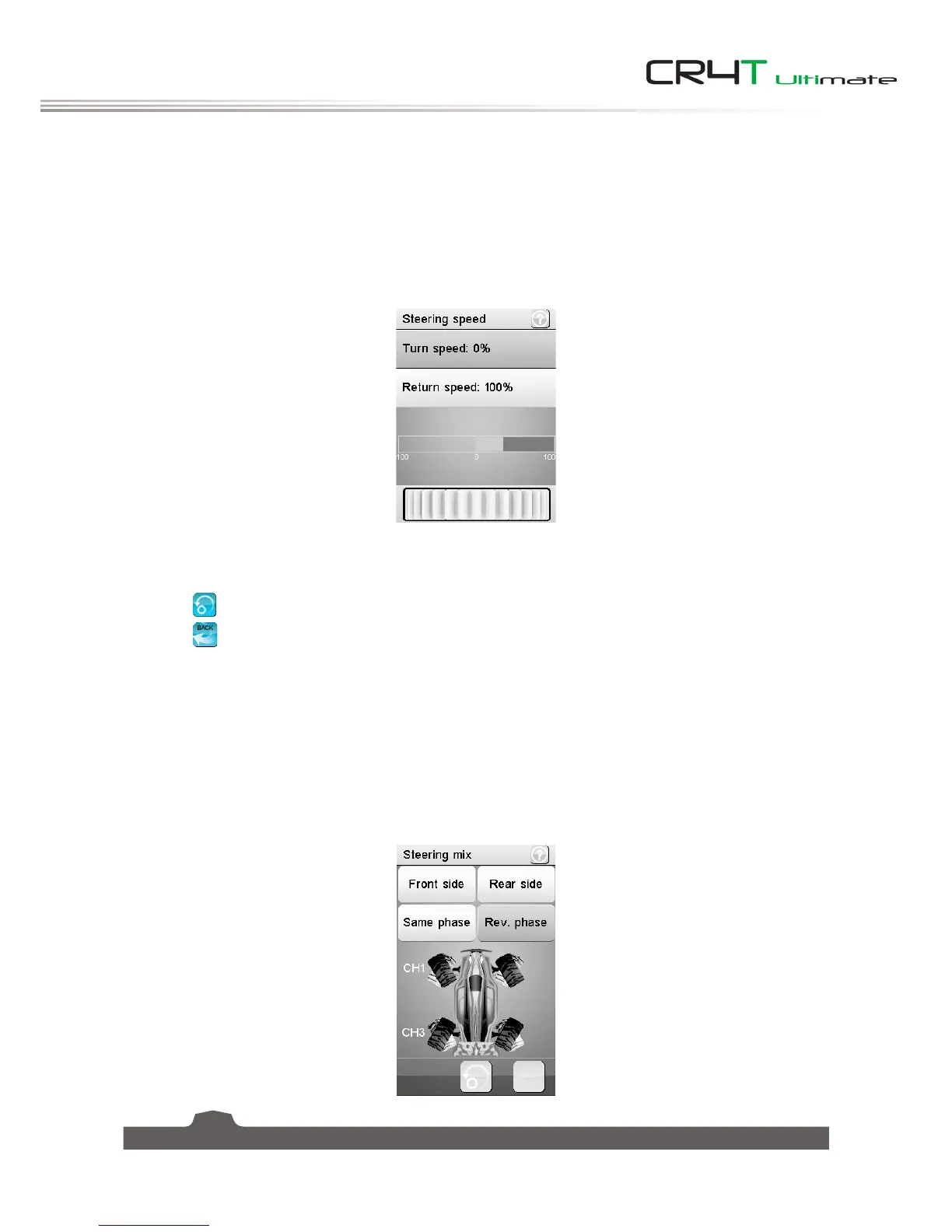
This function changes the speed in which the steering travels. If the car's wheels are turning too fast, it
could lead to loss of control. On the other hand, if they do not change position fast enough, the car will
become sluggish and slow to make turns. This function is also used to simulate a realistic for scale models.
There are two variables:
• Turn speed: Sets how quickly the wheels turn from their starting position, to the position the system's
control indicates.
• Return speed: Sets how quickly the wheels turn back to their center position.
To set the steering speed:
1. Select a parameter to change, [
Turn speed
] or [
Return speed
].
2. Move the wheel at the bottom of the screen left to reduce the value or right to increase the value.
Select the
icon to reset the function.
Select the
icon to return to the previous menu.
6.6 Steering Mix
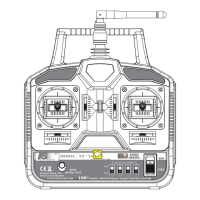
This function changes which wheels are involved in steering, front, rear, or 4 wheel steering. It is set to
[
Standard
] by default, which means front wheel steering.
If want to change the steering mode, select [
Crawler mode
]. Note that in crawler mode, CH3 cannot be
controled independently.
To enable this function, select [
Crawler mode
] from the functions main menu.



 To Next Page