Network
46
Network layout
The device must be physically connected to the network
over a CAT5 cable (see connections on page 3).
Note
Pay attention to the specific information and in-
structions on the network devices.
Several switches, routers and access points can be con-
nected to each other. Firewalls and other security soft-
ware can affect the network.
Warning
When using a router, the network clients (e.g. the
recorder) can be connected to the Internet and
vice versa.
Make sure to use protective measures to prevent
unauthorised external access (e.g. firewall, chang-
ing passwords, changing ports)!
Network configuration
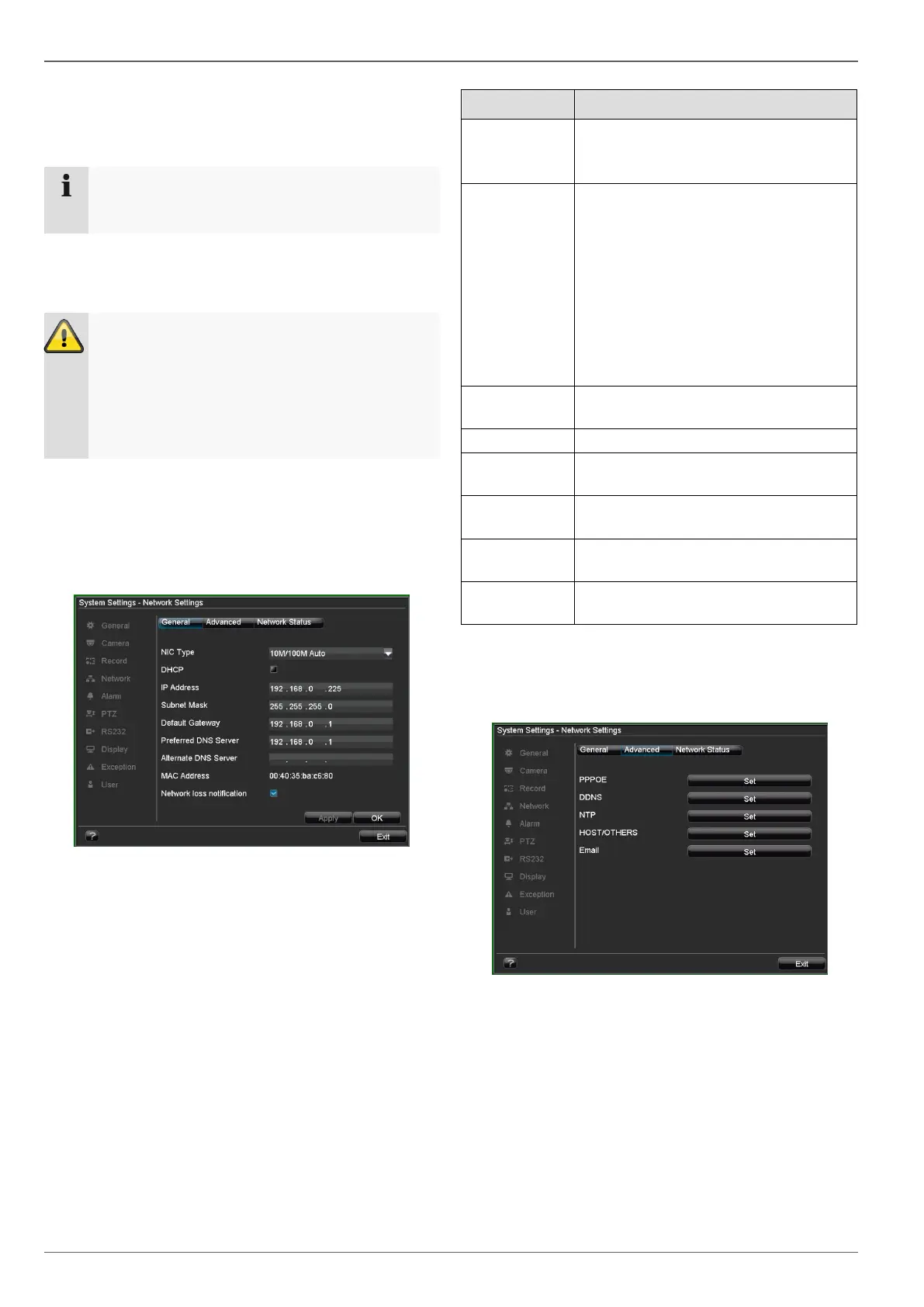
The device must be configured using the “System Set-
tings” and “Network Settings” menus.
Set the transmission speed of the in-
stalled network card here.
Tip: 10M/100M
Tick the box if the IP addresses are
assigned dynamically via DHCP in the
network.
DHCP activated: Subsequent entry
fields are inactive (parameters as-
signed via DHCP).
Note:
If the IP addresses are assigned
manually, ensure that DHCP is not ac-
tive (box not ticked).
Address of the network device in the
network (manual assignment)
Address of the gateway for Internet ac-
cess
Address of the Domain Name Server
(usually the IP address of the gateway)
IP address of the alternative DNS
server
Hardware address of the installed net-
work card
Advanced network configuration
Specify further parameters for the network configuration
in the “Advanced” tab.



 To Next Page