Installation and Operation Manual Chapter 2 Installation and Setup
ASMi-54 Ver. 1.0 Connecting the Cables 2-3
2.5 Mounting the Unit
For mounting the ASMi-54 unit in a 19-inch rack, refer to the
Rack Mounting Kit
for 19-inch Racks
guide that comes with the RM-33-2 kit.
2.6 Connecting the Cables
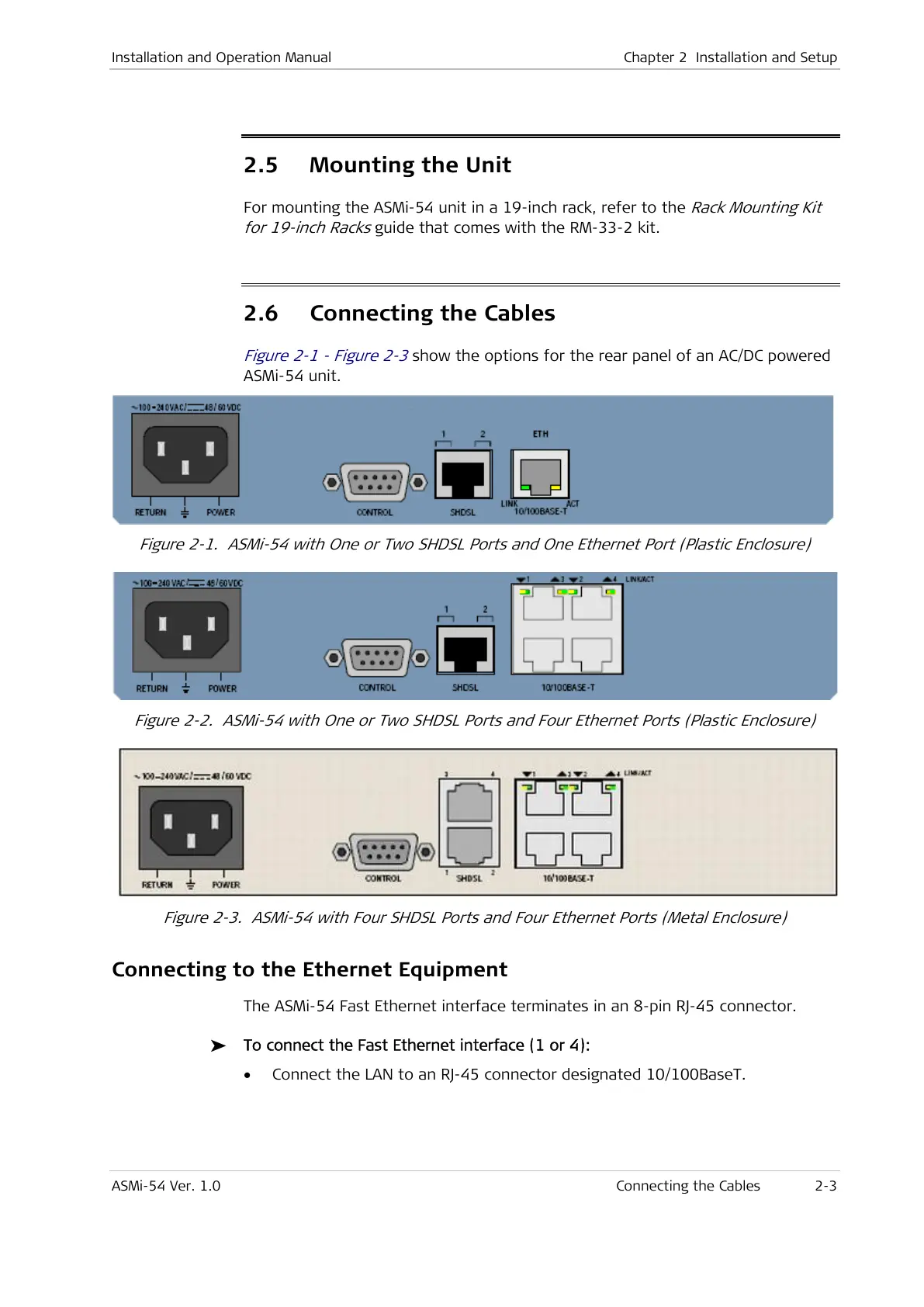
Figure 2-1 - Figure 2-3
show the options for the rear panel of an AC/DC powered
ASMi-54 unit.
Figure 2-1. ASMi-54 with One or Two SHDSL Ports and One Ethernet Port (Plastic Enclosure)
Figure 2-2. ASMi-54 with One or Two SHDSL Ports and Four Ethernet Ports (Plastic Enclosure)
Figure 2-3. ASMi-54 with Four SHDSL Ports and Four Ethernet Ports (Metal Enclosure)
Connecting to the Ethernet Equipment
The ASMi-54 Fast Ethernet interface terminates in an 8-pin RJ-45 connector.
To connect the Fast Ethernet interface (1 or 4):
• Connect the LAN to an RJ-45 connector designated 10/100BaseT.



 To Next Page