Installation and Operation Manual Chapter 3 Operation
ASMi-54 Ver. 1.0 Default Settings 3-3
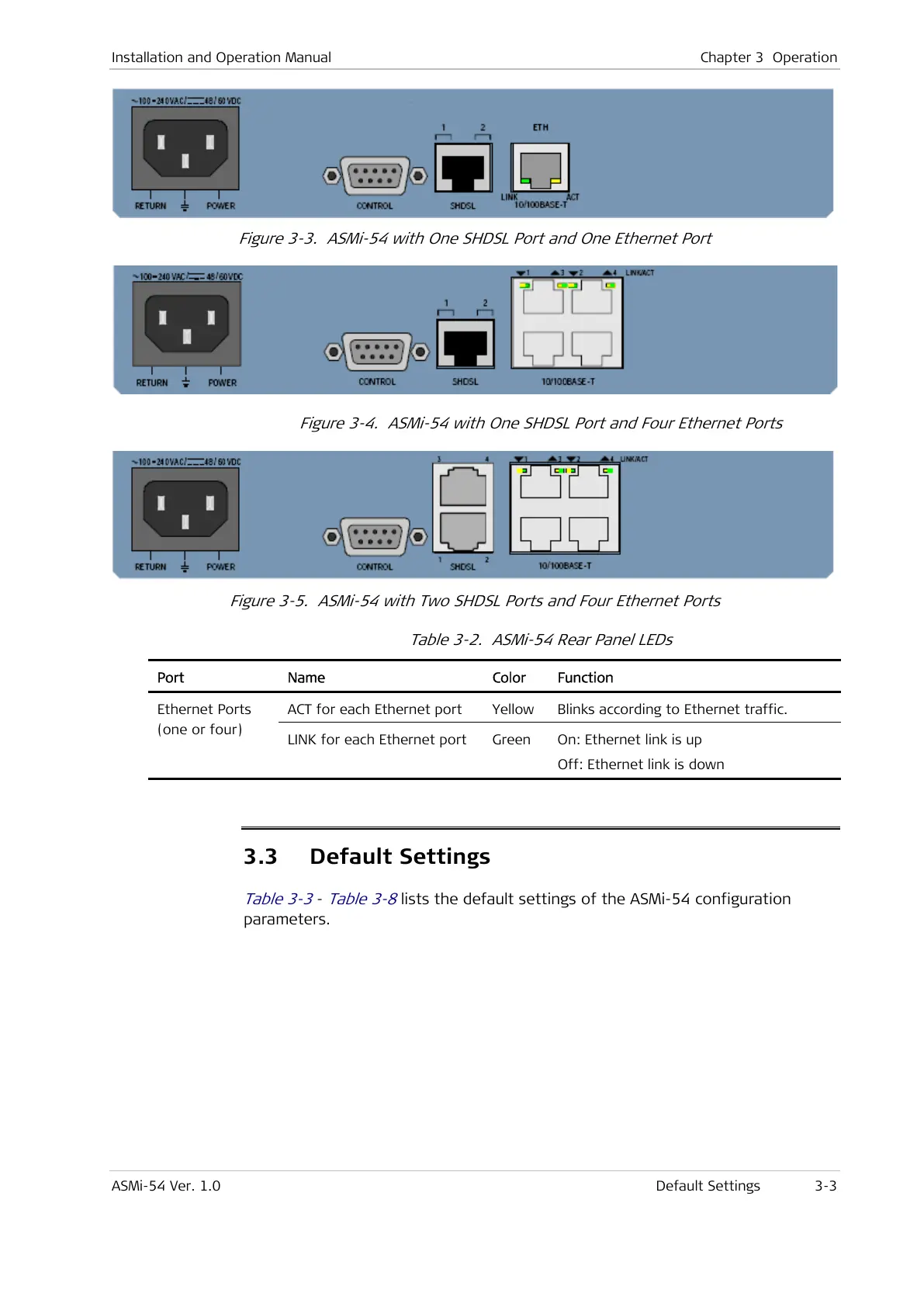
Figure 3-3. ASMi-54 with One SHDSL Port and One Ethernet Port
Figure 3-4. ASMi-54 with One SHDSL Port and Four Ethernet Ports
Figure 3-5. ASMi-54 with Two SHDSL Ports and Four Ethernet Ports
Table 3-2. ASMi-54 Rear Panel LEDs
Port Name Color Function
ACT for each Ethernet port Yellow Blinks according to Ethernet traffic. Ethernet Ports
(one or four)
LINK for each Ethernet port Green On: Ethernet link is up
Off: Ethernet link is down
3.3 Default Settings
Table 3-3
-
Table 3-8
lists the default settings of the ASMi-54 configuration
parameters.



 To Next Page