SP8026-1909
EVOLUTION ELECTRIC STEAMER
33
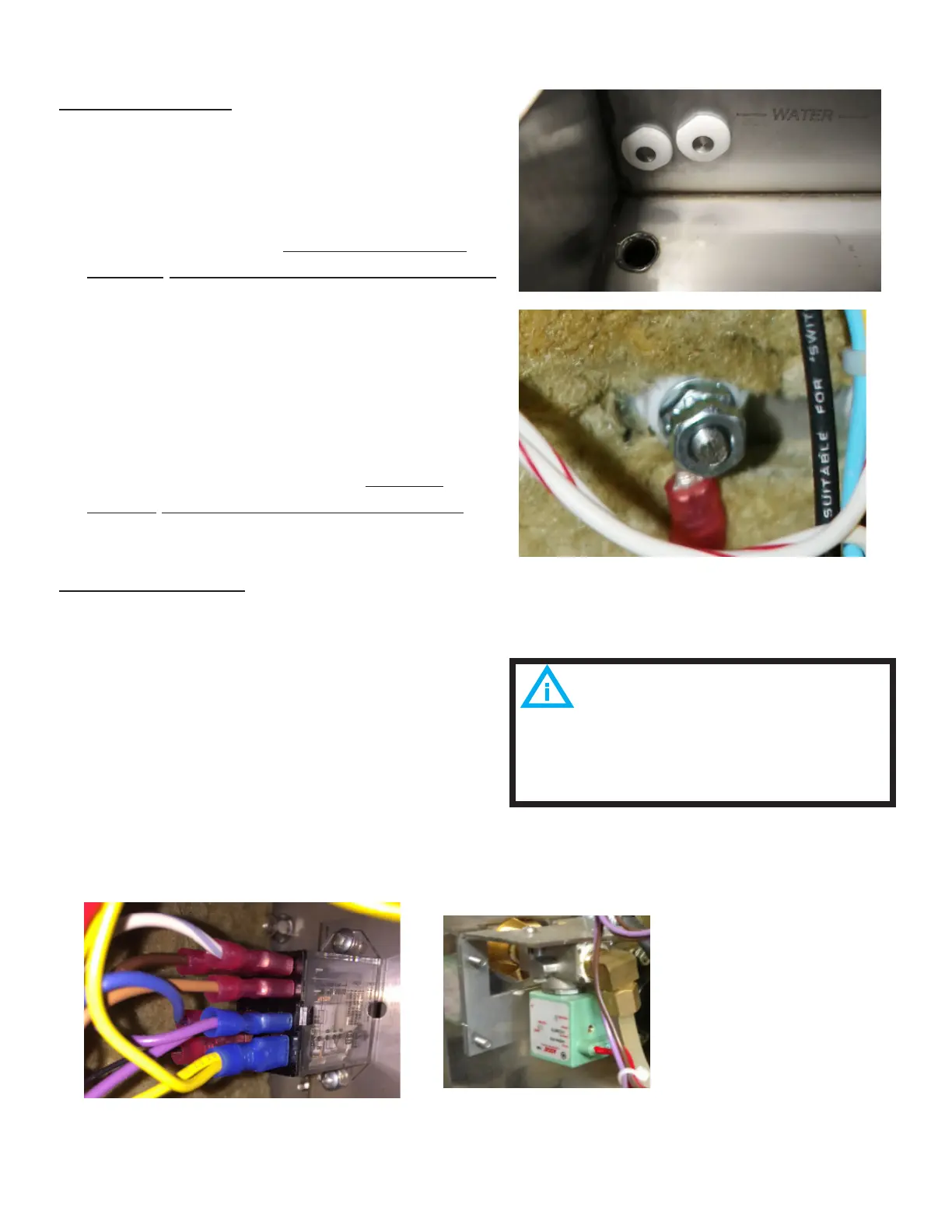
WATER SENSORS
1. Unplug the Unit.
2. Remove the Left-Side Panel by removing
the Sheet Metal Screws holding it in
place.
3. Open the door and ensure that all the
water is drained from the steam chamber.
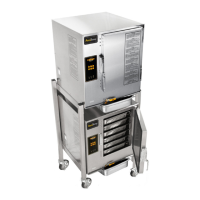
4. Disconnect the wire from the backside
of the Water Sensor (access via left-side
panel).
5. Remove the retaining nut that mounts
the Water Sensor to the Steam Chamber.
6. Push the Water Sensor through the hole
in the steam chamber from the backside.
7. Re-install in reverse order. Torque
Sensor Nuts to between 12-15 In-Lbs.
CONTROL RELAYS
1. Unplug the Unit.
2. Remove the Left-Side Panel by removing
the Sheet Metal Screws holding it in
place.
3. Disconnect the wires (note the wire color
to its location pin).
4. Remove the 2 mounting screws and then
remove the correct voltage type Control
Relay.
5. Re-install in reverse order.
FIG 4.2C
FIG 4.2D
Pay close attention to the wiring of
the relay. Connected and Connection-less
units utilize dierent wiring.
AT1A-5185-1
AT1A-5185-1 - current design


 To Next Page