01010101100110101010110011010101011001101010101100110101010110011010101011001101010101100110
10011010
1010110011010101011001101010101100110101010110011010101011001101010101100110101010110011010101011011010101011
10101010110011010101011011010101001101010100110101101101101010100101
1011010101100110011010101011010101111010111
11010101101101010100111110
0110110011
Seagate PC-3000 EXPRESS / UDMA / PORTABLE
F3 architecture ACE Lab
Technical support: ts@acelab.ru
Phone: +7 863 201 50 06
14 ts.acelaboratory.com
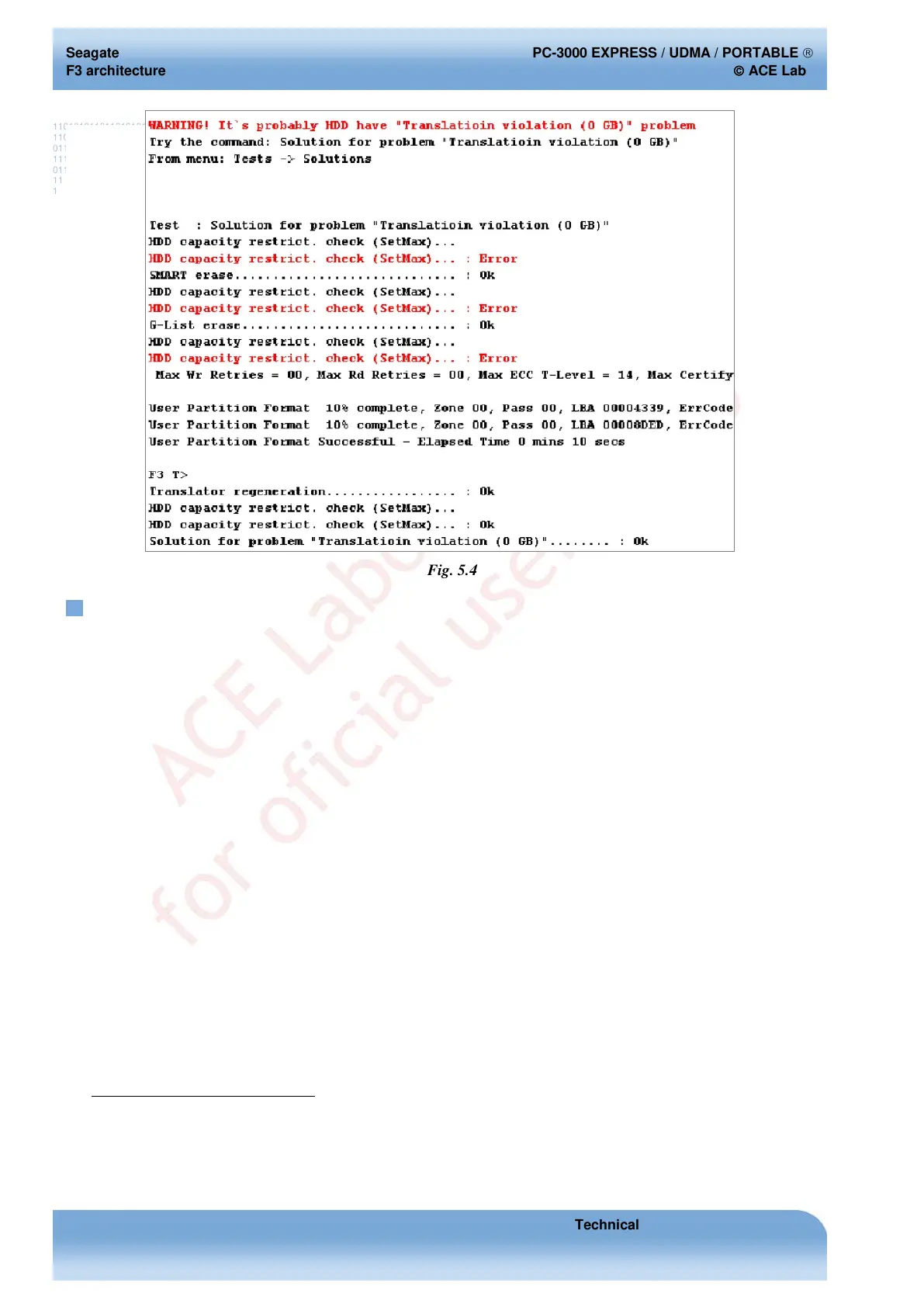
Fig. 5.4
5.4. Host system does not detect a HDD, which permanently
remains BSY
This malfunction can be caused by the following reasons:
♦ hardware HDD malfunctions (malfunction of the controller board, heads, etc.);
♦ damaged service information (SMART, G-List, translator, Media Cache data structure
1
).
In the former case, you should check the HDD controller board using the method described in section 10, Appendix 2.
Testing the HDD controller board. The latter situation can be resolved using software tools. If the terminal command
mode is available when the drive is powered, perform malfunction diagnostics as described in section 5.6, Diagnostics
using the list of 32 recent RW commands. If the command mode cannot be invoked because of HDD freeze or LED
error, select the "Solution for problem "HDD Lock (LED: 000000CC)"" menu item (Fig. 5.5) having bridged the
reading channel contacts. If the freeze of a powered drive is accompanied with the "LED: 000000СС" message output
to terminal, the procedure should be performed till the end. However, if the freeze has other symptoms, then once you
obtain access to terminal using the automated solution for the LED: 000000CC problem, click 'Cancel' in the main
window guiding you through the read channel bridging and continue HDD diagnostics as advised in section 5.6,
Diagnostics using the list of 32 recent RW commands. For details on unlocking the HDD locked with the LED:
000000СС error please see chapter 8, Unlocking HDD in case of LED: CC error .
1
Media Cache is a drive's data cache located in its fastest disk surface area. Initially it was introduced in hybrid
HDD where it was located in NAND Flash on the controller board. As the technology was adjusted for better
affordability, the cache was relocated to the outer tracks of HDD surface, where linear rate of data exchange reaches
its maximum.


 To Next Page