01010101100110101010110011010101011001101010101100110101010110011010101011001101010101100110
1001101010101100110101010110011010101011001101010101100110101010110011010101011001101010101100110101010110110101010
11
10101010110011010101011011010101001101010100110101101101101010100101
1011010101100110011010101011010101111010111
11010101101101010100111110
1101110110110011
0111011110
111101
011
11
1
PC-3000 EXPRESS / UDMA / PORTABLE Seagate
ACE Lab F3 architecture
Technical support: ts@acelab.ru
Phone: +7 863 201 50 06
ts.acelaboratory.com 41
7. Specialized tools of the utility
The tools described further are accessible from the 'Tools → Utility extensions' menu.
7.1. View and edit HDD resources
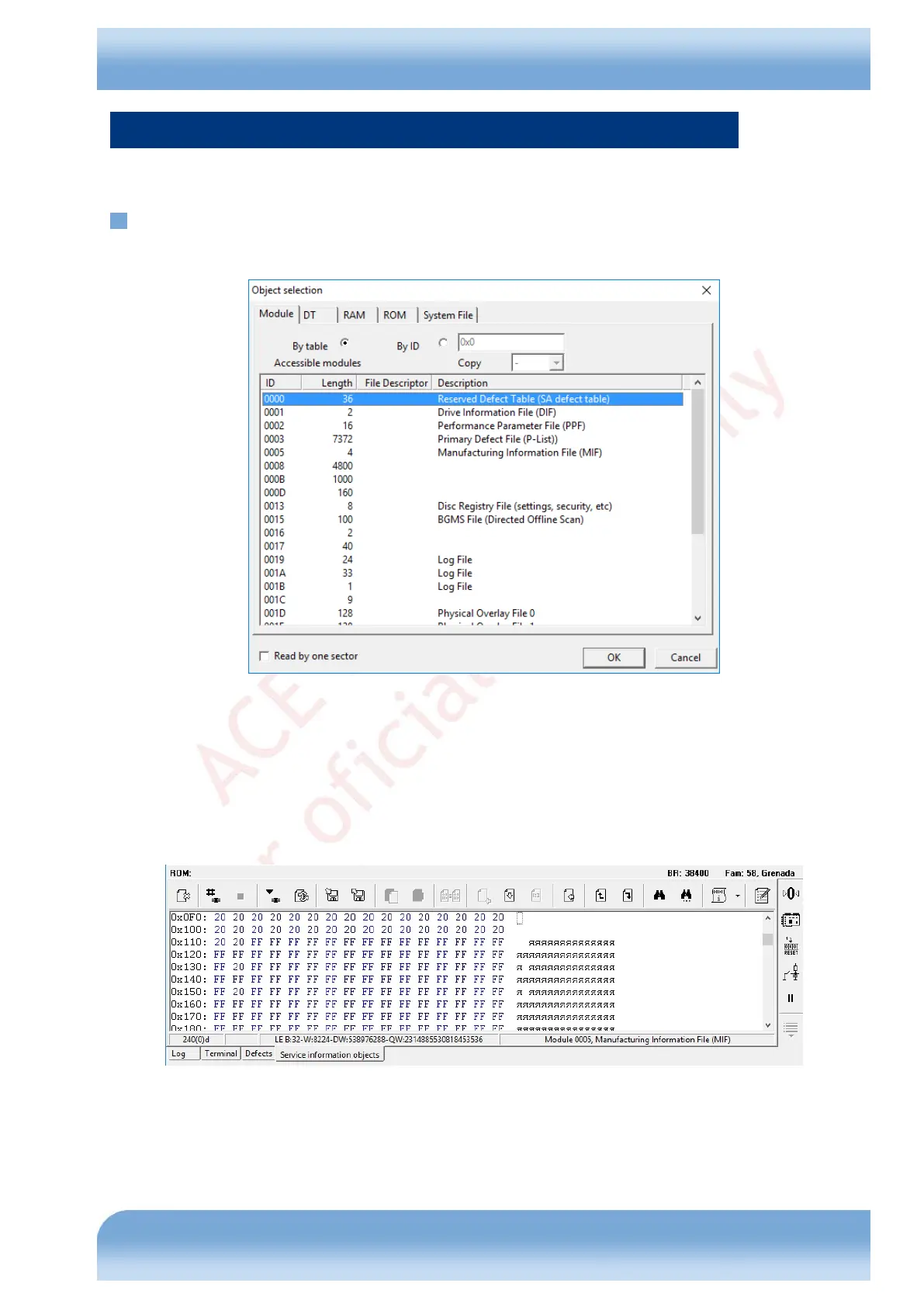
The tool allows you to work with various service information items of a hard disk drive (Fig. 7.1).
Fig. 7.1
The Module tab can be used to read/write the service information modules of a HDD. Modules can be accessed 'By
table' - from the list of scanned (during start or from the utility status dialog) modules or directly by their identifiers –
'By ID'. In the latter case you can specify the copy to access ("1st" or "2nd"). Sector-by-sector reading method is
supported for recovery of corrupted modules.
Once a module is selected, the utility reads it to the standard hex editor for viewing and editing (manually or using
plug-ins). The procedure for work with resources in the internal hex editor of the utilities is universal, it is described in
the main part of product documentation.
Fig. 7.2
The DT tab can be used to read/write Drive Tables in HDD RAM and ROM.


 To Next Page