01010101100110101010110011010101011001101010101100110101010110011010101011001101010101100110
1001101010101100110101010110011010101011001101010101100110101010110011010101011001101010101100110101010110110101010
11
10101010110011010101011011010101001101010100110101101101101010100101
1011010101100110011010101011010101111010111
11010101101101010100111110
1101110110110011
0111011110
111101
011
11
1
PC-3000 EXPRESS / UDMA / PORTABLE Seagate
ACE Lab F3 architecture
Technical support: ts@acelab.ru
Phone: +7 863 201 50 06
ts.acelaboratory.com 9
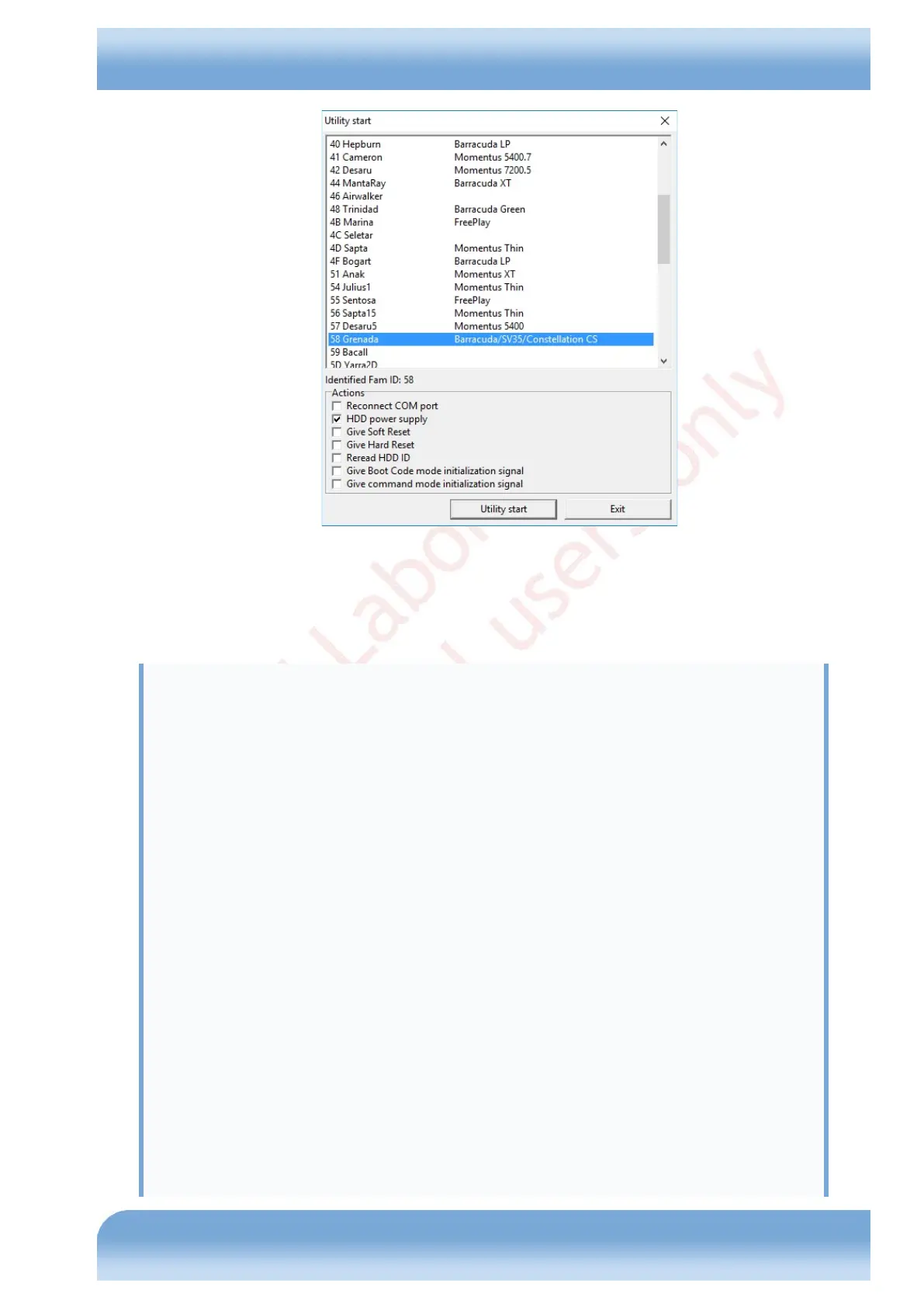
Fig. 4.1
As soon as you click the 'Utility start' button, the utility will access the drive for automatic configuration requesting the
following information:
Family ID: 58
Selected family......................... : 58, Grenada
Model by ID............................. : ST2000DM001-9YN164
Loading default settings!
Use the options dialog to review and save utility settings.
Then press OK!
Family default settings loading!
Tech Key...
Requesting FW Pkg ver ........ GR753C.CCD4.BP01BG.CC4H
Detecting Phys Sct Size...
Result.................................. : 4096
Detecting Max Head number...
Phys. heads............................. : 4
Obtaining Saved Mode Pages File information...
Reading Saved Mode Pages...
Parsing Saved Mode Pages...
LBA alignment........................... : 0
Obtaining Registry File information...
Reading Registry File...
Parsing Registry File...
Media Cache
===========
MC : disabled
MC Size : 0x44C850
MCMT Ver : MCMTV03


 To Next Page