21
15. Image Retention Refresh: To reduces the risk of image retention occurrence, if the
monitor has been in use for Image Retention Refresh more than 4 hours, Image
Retention Refresh, will start automatically after the monitor is turned off. You can also
start Image Retention Refresh manually via OSD menu. When Image Retention Refresh
process begins, the monitor will display warning message the power LED starts flashing
blue and amber light alternately. When the power LED lights off, this indicates the Image
Retention Refresh process is complete, the duration of the Image Retention Refresh is
around 5 minutes.
Note: During Image Retention Refresh process don't turn off monitor and don't
unplug the power.
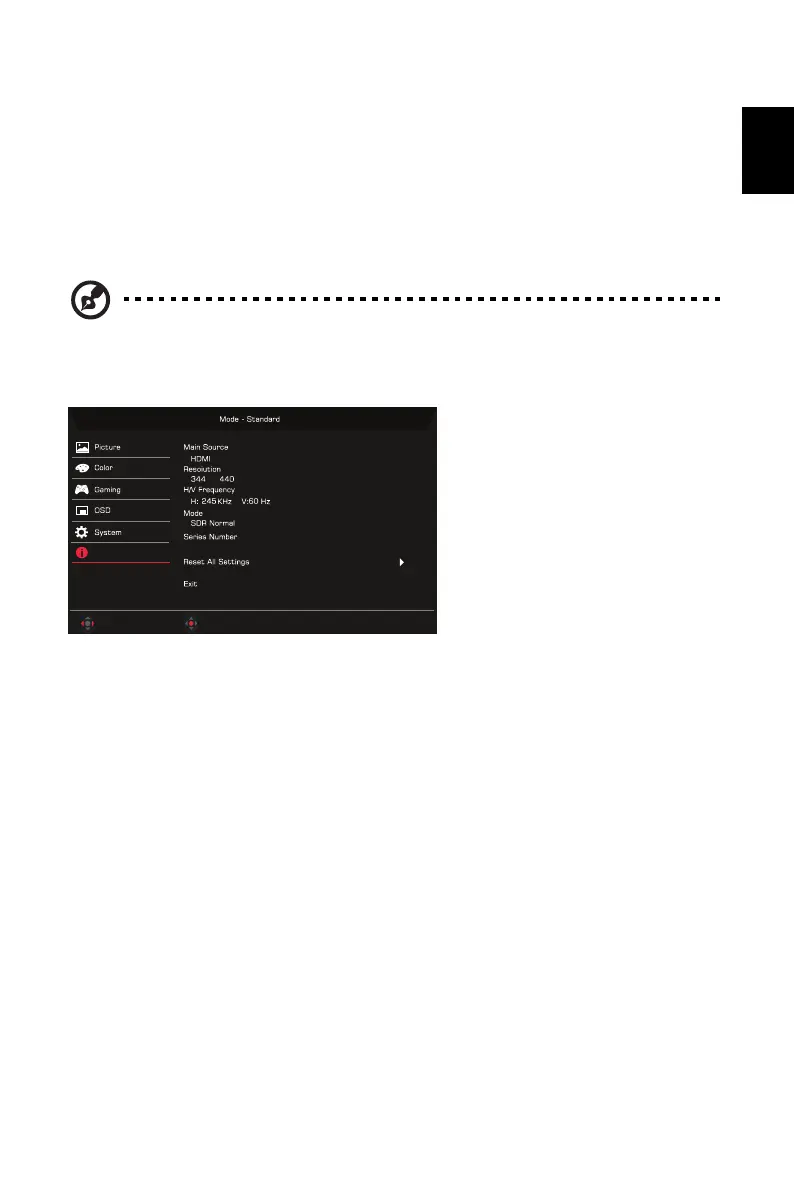
Product information
1. Press the MENU key to open the OSD.
2. Using the keys, select Information to view the basic information for your monitor
and current input.
3. Reset All Settings: Reset all settings to the factory defaults.
0x1
Adjust
OK
Information


 To Next Page