11
Basic Operation 4.
Power On and Power Off 4.1.
Power On:
Press and hold the power button for 3 seconds to power on the machine.
Power Off:
Note: In order to prolong the lifetime of the machine, use the Soft-Off method to shut down the
machine is recommended.
Soft-Off:
Click the number under ‘Weight’, ‘Price’ and ‘Total’ successively to enter into the setting interface, and
then click ‘Power Off’ to shut down.
Power off:
When the TCR software reports error and doesn’t run, press and hold the power button for 3 seconds
to power off the machine.
Scale Mode Switch 4.2.
TS5X touch scale integrates with label scale, cash register scale and self-service mode operation,
customer can switch mode freely and the mode switch can be reached either by software setting or hardware
setting.
Changing cartridge holder can switch corresponding scale mode as well. E.g.: if the scale paper is
replaced for label paper, scale mode defaults label scale operation.
Software switch:
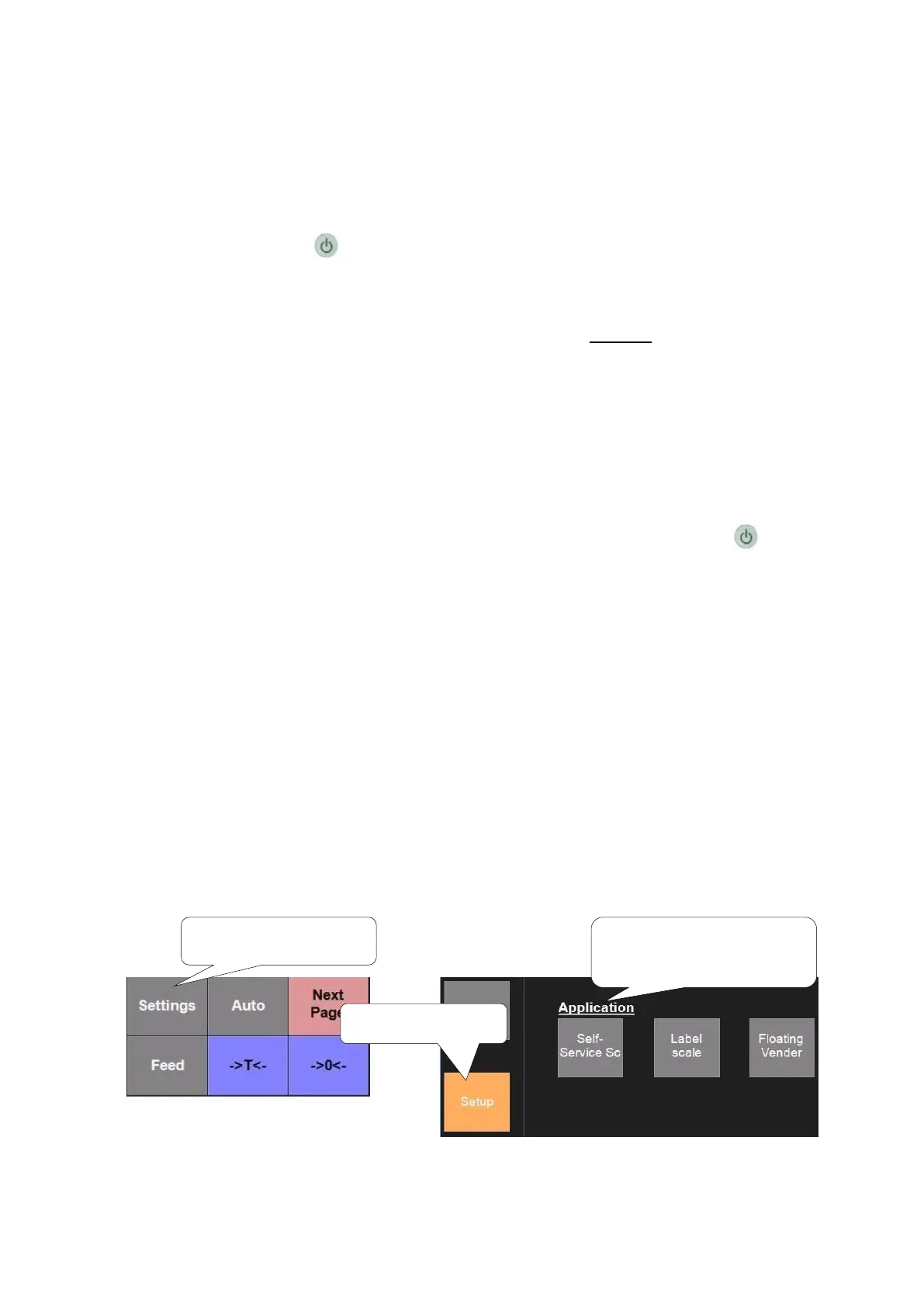
Click ‘Settings’----‘Setup’ ----‘Application’. There are such scale types as ‘Self-Service Scale’ and
‘Label scale’.
3. Here are 3 Optional
types of scale



 To Next Page