EasyManua.ls Logo

ACLAS TS5X - Category; Parent Category

ACLAS TS5X
70 pages
Print Icon
To Next Page IconTo Next Page
To Previous Page IconTo Previous Page
Loading...
38
5.2.4.2. Category
5.2.4.3. Parent Category
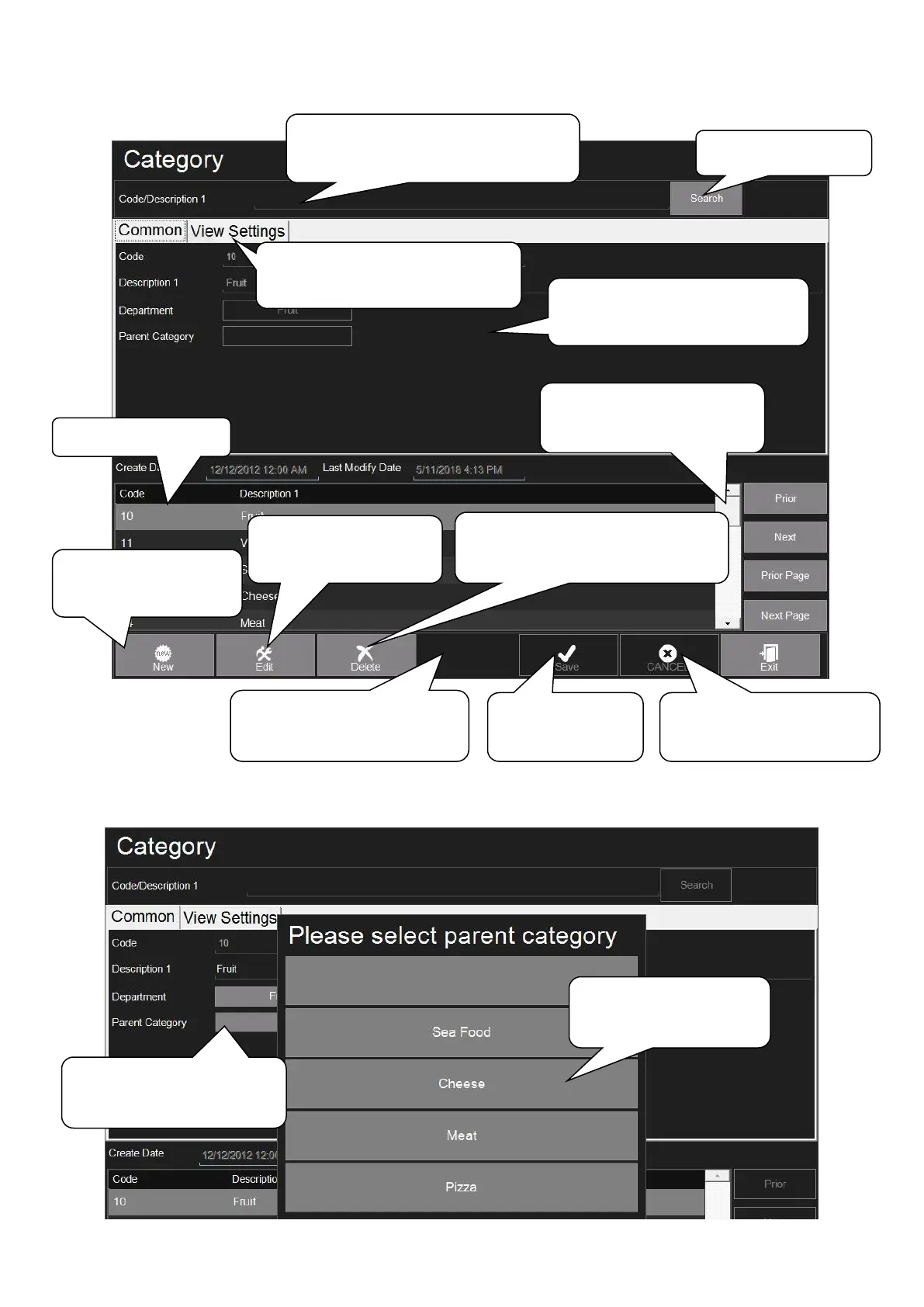
1. Click New for
adding category
10. Click Edit for
modifying category
4. Choose a category and click
here can delete the category
7. Click Search
6. Input the code, description or
abbreviation here for searching
11. Click here can import
or export the category
8. Click in this field can
roll the option for search
2. Edit the code, description
and other information here
5. Click Cancel if want
to cancel the operation
4. Click Save
after operation
3. Click View Settings can set
the color and chapter
9. Choose the PLU
1. Click here to select
Parent Category
2. Choose parent
category here

Table of Contents

Related product manuals