52
5.4.4. Device 2
5.4.4.1. Screen Capture
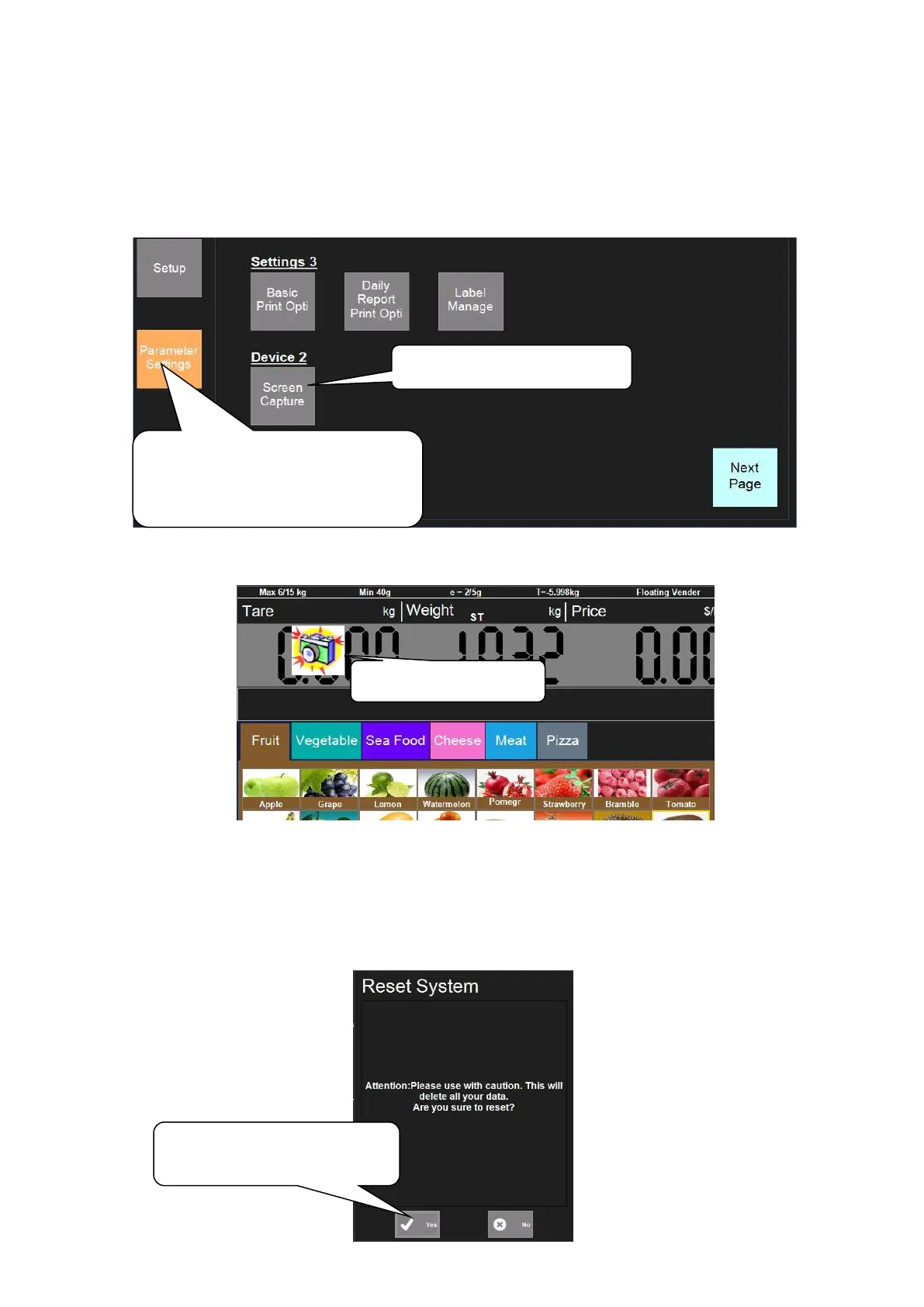
This function is for capturing the screen on the scale.
Before capturing the screen, please insert an USB into the USB interface.
Now there will be a picture of camera on the top left corner on the mainboard interface. Click the
camera and the screenshot will be saved to the folder named ‘ScreenCaptureImages’ in the USB.
5.4.5. Reset
5.4.5.1. Reset System
Note: After the operation of Screen Capture, click ‘Parameter Settings’—‘Screen Capture’
again to cancel it, and pull out the USB.
1. Click ‘Parameter Settings’,
input password and then enter into
setting interface.
2. Click ‘Screen Capture’
Click ‘Yes’ to reset system
when needed



 To Next Page